


Kannada for AnySoftKeyBoard
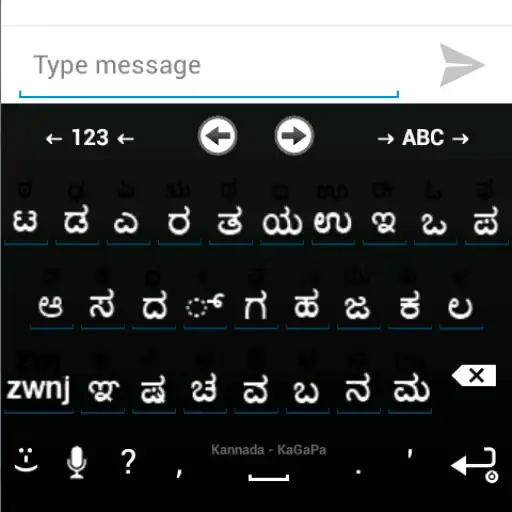
Kannada for AnySoftKeyBoard
The official app & game
Distributed by UptoPlay
SCREENSHOTS
DESCRIPTION
Use UptoPlay to play online the game Kannada for AnySoftKeyBoard.
Try new independent keyboard JustKannada
https://play.google.com/store/apps/details?id=com.sriandroid.justkannada
Install only if you can read , .
If you see BOXES, you PHONE itself does NOT support Kannada.
Kannada Language pack for AnySoftKeyboard.
You can type Kannada, Tulu, Konkani and other languages which uses Kannada Script.
Steps
1. Install AnySoftkeyboard from the play store.
2. Install this Kannada Language Pack
3. Goto Settings -> Language and Keyboards
4. Enable Anysoftkeyboard
5. Goto AnySoftKeyboard -> Keyboards -> Enable Kannada layouts
6. Click on Click for text testing, Press hold on input box until you get a popup
7. Select Input method -> then AnySoftKeyboard
You can switch between languages by pressing ->ABC-> button on the Keyboard
Works only if
1. Kannada Font Installed
2. Device Complex Font Rendering. (Latest Indian firmwares supports)
3. AnySoftKeyboard to be Installed
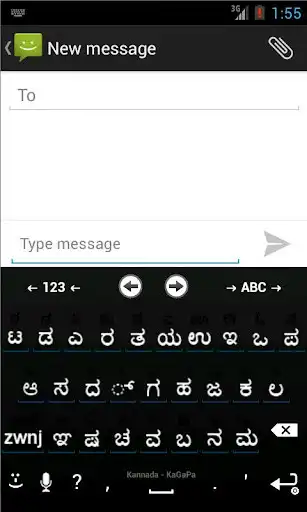
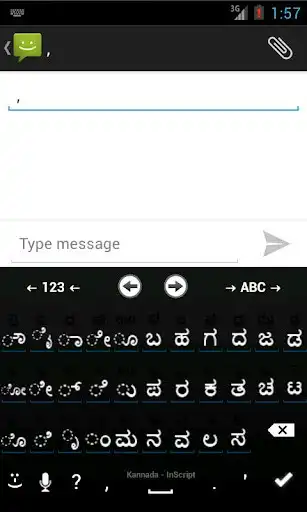
Currently It support two layouts.
1. Baraha/KaGapa Minimal Layout
2. Kannada Inscript Layout.
More features and layouts coming soon. Also try JustKannada App.
Report any issues or requests here or mail to [email protected]
Enjoy with UptoPlay the online game Kannada for AnySoftKeyBoard.
ADDITIONAL INFORMATION
Developer: Just Indic
Genre: Tools
App version: 20131202-KANNADA
App size: 1.4M
Recent changes: Added Kannada Dictionary*[Beta Version]
minor issue fixed.
alignment fixed.
Added Key images.
Added Inscript Layout
Added ಱ and ೞ.
Added ZWNJ.
Fixed Layout Icon.
Added Kannada Special characters.
Minor fixes in hard and soft keyboards.
Comments:
Very easy to use.
Very easy to use
I am using this app since 3 years. Nice app. Problem started after purchasing Nokia 6. (vO ವೋ is getting typed as mO ಮೋ). And non Kannada letters for mO ಮೋ and yO ಯೋ. Please fix if possible. ಜ್ಞಾನಿ
My. Dear friends it is very easy to install and easy to use . Jast insteall the app go to settings and input and select the language Kannada and save the satting and know any massage and starts type and now open toll bar and select keyboard tap on that and select Kannada keyboard and type in Kannada
After latest update some of keys not working at means... F key in term English keypad. I kindly request to solve that problem....'
Page navigation: