


Image to Word Converter - Convert Image to Word
Image to Word Converter
The official app & game
Distributed by UptoPlay
SCREENSHOTS
DESCRIPTION
Use UptoPlay to play online the game Image to Word Converter - Convert Image to Word.
The best Image to Word converter and document scanner on the market. Quickly and easily convert image to word wherever you are right on your mobile device. You can import images from the device or use a built-in image scanner to scan & convert photos to Word on the go.
Image to Word Converter Features:
No limits on the file size and the number of files you can convert.
Built-in powerful document scanner with OCR.
Quickly & easily scan a photo and convert it to Word.
Best Image to Word conversion quality.
Cloud storage services are supported: Google Drive, Dropbox, OneDrive, Box, and others.
By using the app's cutting-edge OCR engine, you can make every scanned report, contract or invoice editable. You will be able to turn your images into editable Word documents in no time. All fonts, paragraphs, lists, tables, and columns will be preserved in the Word output. JPG to docx conversions are done online so the app won't drain your phones battery or burden its processor. JPG to doc and JPG to docx conversions are supported.
How to convert Image to Word?
There are two ways to use this file converter to convert Image files to Word: by starting the app or opening an image in your phones gallery or any other image viewer.
Convert JPG to Word directly from the app:
1. Tap on the desired icon to select the image file that you want to convert.
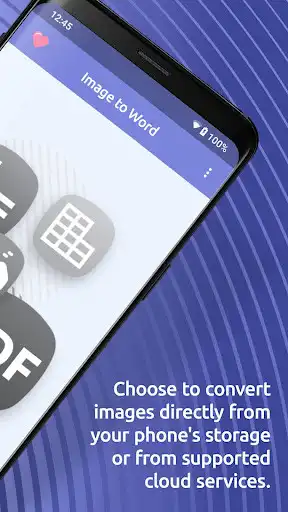
2. You can choose to convert images directly from your phone's storage or from supported cloud services. Another option is to use a built-in document scanner to scan a photo and convert it to text.
3. Let the app do its magic and your image will be converted shortly.
Convert JPG to Word from your phones gallery or any other image viewer:
1. If you are viewing your image in your phones gallery or any other viewer, simply tap on the "share" button and choose from the menu to open it in the Image to Word Converter app.
2. The image will import where you will be able to resize it and afterward the conversion will start automatically.
After the image is converted, you can view and edit it in any of the word processing apps like Microsoft Word.
Note: Free conversions take up to one hour to complete, but fast conversions are completed in seconds!
Enjoy with UptoPlay the online game Image to Word Converter - Convert Image to Word.
ADDITIONAL INFORMATION
Developer: PDFConverter.com
Genre: Productivity
App version: 1.0.2
App size: 72M
Recent changes: The best Image to Word converter and document scanner on the market.
Quickly and easily convert image to word wherever you are right on your mobile device.
Comments:
So satisfied with this! I have to work with the image files document a lot and sometimes I also need the text of that document. I used to retype word by word to get the text, sometime there were many incorrect words. This app is doing well, due to this one I do not need to do it anymore, just spend time relaxing and then get the text converted.
This app is absolutely awesome. I could not believe how good it was in capturing text. It saved me considerable time, not type out the text. Probably the best app I've ever downloaded. I cannot suggest high enough. I used it again last night and it did such an exact job of converting the entire file to the word file quickly.
The app worked perfectly. At first, I was really impressed with the minimal design with this app's user-friendly interface and then continued to use it because of its usefulness and convenience. I've never thought of scanning information from an image to a word file ever
Worse app seen ever...
Page navigation: