


WatchLife Fitness Watch
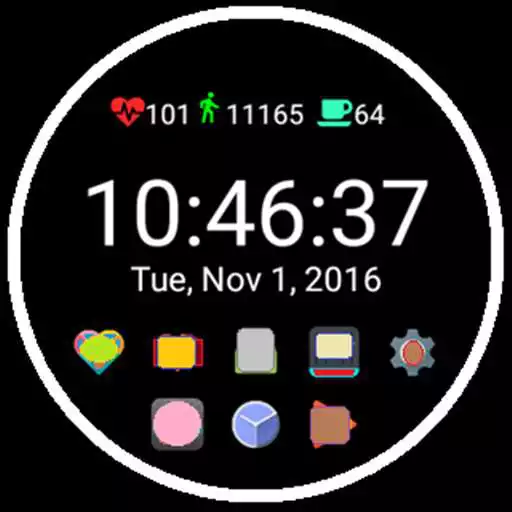
WatchLife Fitness Watch
The official app & game
Distributed by UptoPlay
SCREENSHOTS
DESCRIPTION
Use UptoPlay to play online the game WatchLife Fitness Watch.
WatchLife Fitness Watch Face for Android Wear
Digital 12 or 24 Hour Time Display
One touch changes between 12 or 24 Hour Mode
Heart Rate Monitor
(Requires Watch with Heart Rate Sensor)
Must Select Device Permission to allow Watch face
to access Body Sensors.
Standard Mode activates when watch is in Active Mode
and deactivates 5 to 10 seconds after watch goes into
ambient mode. Watch may not stay active long enough
to get Heart reading. Touch screen to keep active longer
or switch on continuous mode.
Continuous Heart Rate Mode is activated by touching
Heart Icon Meter.
Icon blinks while watch is in active mode.
Box outlines meter in ambient mode.
To switch back to Standard Mode touch the Heart Meter.
Heart60 Meter tracks your progress to 30 and 60 minutes
of heart activity per day.
Steps Counter
Icon changes colors from Red to Green with progress to
keep you motivated to get moving.
(For Steps Counter to work on a Treadmill, On Your
Mobile Device Select Settings, Location,
Select Mode = High Accuracy)
Steps Meter tracks your progress to 10000 steps
per day.
Water Drink Reminder with Consumption Meter
Set Hours for Vibration and Blinking Icon Reminder to
drink water. Touch Water Icon to Stop Flashing
Each touch adds 4 Ounce Increment to Water Consumed
Water Meter tracks your progress to 64 ounces of
water consumption per day.
Quick Access to Your Favorite Wear Apps
Add 0 to 8 of your Favorite Wear Apps
to the Watch Face. Select Icon Size Standard
or Large. Easily Set the Display Position of
your Favorite App Icons.
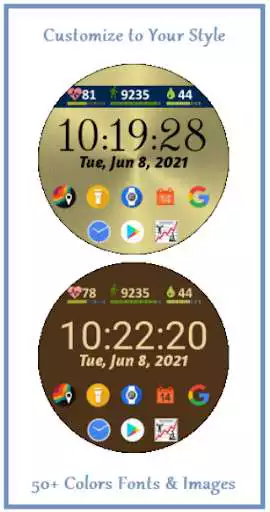
Customize Foreground and Background with 53 Colors
to choose from or Select Image on Mobile Device
or Select Image from our Background Image Library
for Watch Background
Select from 56 different fonts
Save Color Presets
Easy One touch Switching between your Presets
Unlimited Presets
View Fitness Stats with Data and Bar Charts
Records Steps 5k and 10k Day Streaks.
Heart60 Meter Tracks 30 and 60 Minute Day Streaks.
Shows Your Best Steps and Heart Activity Records.
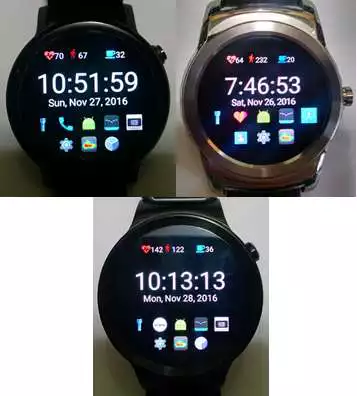
Watches Tested
Moto 360
LG Urbane
Fossil
Tested on Wear 1.x and Wear 2.x
Install Instructions
Download and Install WatchLife on Your Mobile Device
Install WatchLife on Wearable Device
Wear 1.x
When Notification Appears Touch to Install
Wear 2.x
Press Power Button to Load Apps Menu
Open Play Store
Scroll Down to Apps on your Phone
Touch WatchLife
Touch Install
After Installed
Touch Set Watch face
Enjoy with UptoPlay the online game WatchLife Fitness Watch.
ADDITIONAL INFORMATION
Developer: Short Software Design
Genre: Health & Fitness
App version: 4.1.4
App size: Varies with device
Recent changes: Fixed Problem causing Mobile App to Crash
Fixed Heart Minutes Meter to Correctly add Heart Minutes
Heart, Steps, Water Goals Meter on Wear and Mobile Apps
New Full Day Heart Rate Graph
Select Background Image from your Photos or
Select from our new Background Image Library.
Added Goal Meters for Steps and Water Consumption
Changed Meter Progress Colors to provide more motivation
to reach your fitness goals.
Collects No Personal Information
Displays Non-Personalized Ads
Comments:
This immediately became my go to watch face. Only thing I could request is that it allowed for a background image instead of just offering colors. Also the preview icon got me thinking... why not have a circular battery life indicator?
really good, would love to add custom backgrounds. and be good if easier to position apps. keep up the good work.
App won't open on my phone, keeps saying try again!
The intelligence bracelet
Its ok so far will update when I use it'
Page navigation: