


BlockLight : Night Mode - Screen Color Filter
BlockLight : Night Mode
The official app & game
Distributed by UptoPlay
SCREENSHOTS
DESCRIPTION
Use UptoPlay to play online the game BlockLight : Night Mode - Screen Color Filter.
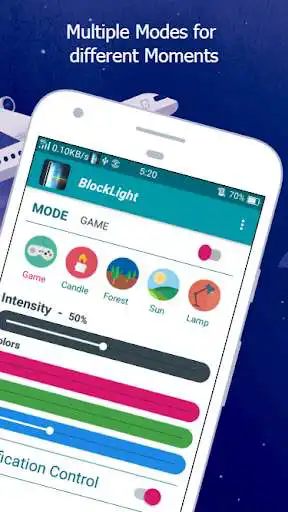
Screen Color filter is used to reduce light rays by adjusting the screen color by red, green and blue color adjustments. Shifting your screen to multiple color modes can relieve your eyes strain, and your eyes will feel at ease during night time such like reading notes, watching movies, browsing on web. Hence Screen Color Filter will protect your eyes, keep healthy and help you sleep easily.
Features:
Reduce light rays
Multi Color Choices
Save Battery power
Easy Handling on Colors
Reduce light Rays :
Simply by applying multiple color, screen light rays are highly reduced.
Multi Color Choice :
You are free change and apply multiple colors as your wish.
Save Battery Power:
By adding low light rays color like Red, Green and Black , the power consumption is
reduced.
Easy Handling over Colors:
All possible colors can be generated by adjusting red, green and blue color
combinations.
Status Bar Controls:
Adjust brightness protection level through the notification control
Also you can enable and disable color protection
Notes: Simple, Colorful and Effective.
Thank You,
Developement Team
Enjoy with UptoPlay the online game BlockLight : Night Mode - Screen Color Filter.
ADDITIONAL INFORMATION
Developer: Lucro Technologies
Genre: Tools
App version: 5.0
App size: 4.2M
Recent changes: * Tablet Supports
* Bugs Fixed
* Better User Interface
Comments:
very useful app. we can increase or decrease brightness from status bar control. I like this app
Crashes upon use.'
Page navigation: