


GA Panel
GA Panel
The official app & game
Distributed by UptoPlay
SCREENSHOTS
DESCRIPTION
Use UptoPlay to play online the game GA Panel.
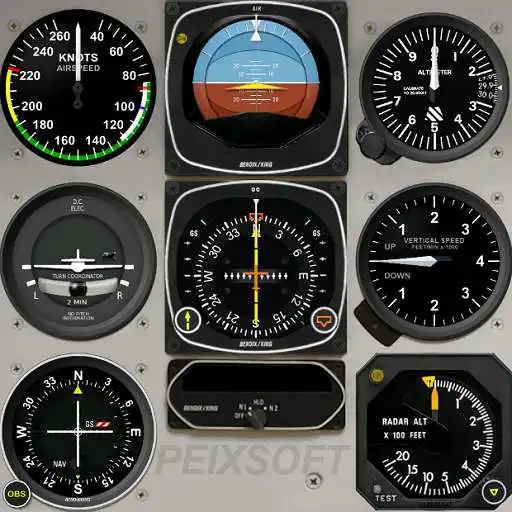
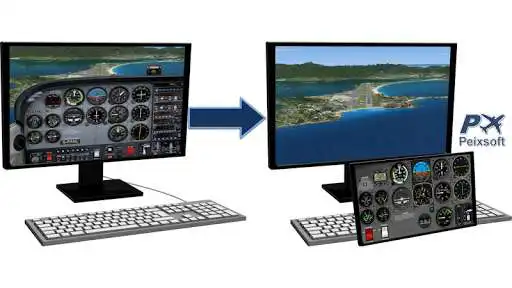
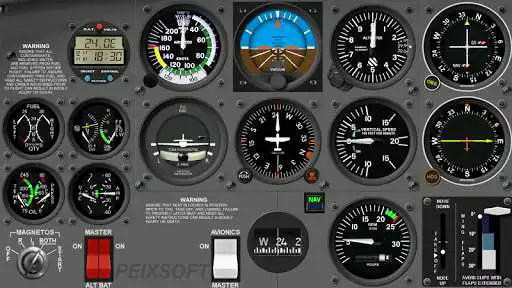
Interactive general aviation cockpits of aircraft and helicopter to connect with Microsoft Flight Simulator X, Prepar3D and X-Plane 10. All operations are done with a single finger and all movements smoothen. The app let you free the main screen from instruments and fully enjoy the scenery.
Models currently available:
- Cessna C172 and C182
- Beechcraft Baron 58
- North American P-51D Mustang
- Bell 206B JetRanger
- Robinson R22 Beta
Note that the app does nothing by itself, it must be connected to the flight simulator via WiFi, but their behavior can be tested by clicking on top left corner which generates random data.
FSUIPC and PeixConnect (free applications) must be installed on the simulator computer for use with FSX / P3D, which they make interface between computer and Android devices.
For detailed information on the steps for operation, and play online the required applications please visit the Android section at website: http://www.peixsoft.com
It is designed for high resolution 4K, to connecting to monitors and HDTVs without loss of quality, if used in stand-alone devices such as Hardkernel ODROID.
For highest performance and battery saving you can hide the photorealistic image and display only the instruments, with solid color or black background.
NOTE: Flaps lever is only as a visual reference, it does not move the flaps in the simulator.
In free mode the application works completely within 10 minutes but a suggestion screen appears at the end of trial with a button to purchase the unlimited license.
If you have any suggestions or detect a fail please send me an email and I will fix it as soon as possible.
Enjoy with UptoPlay the online game GA Panel.
ADDITIONAL INFORMATION
Developer: Peix Software
Genre: Simulation
App version: 1.1.0
App size: 12M
Recent changes: 1.1.0
Fixed the non-appearance of the options menu in Samsung Galaxy Tabs.
1.0.27
Added to Beech Baron 58:
- Functional Altitude Selector (drag finger horizontally)
- Flight Director Bars when FD is active.
- AP Annunciator lights now work with X-Plane.
Comments:
Have been using this with X-Plane 11 and the Cessna 172 aircraft. This app does an excellent job displaying instruments on my Android tablet so that I do not need to fill up the screen with an instrument panel. Very pleased with this app.
Thanks for fixing just the Heading knob on Gyro gauge, this application will be usable if you fix the second knob on left, I bet you all application users will give you the 5 stars you deserve and purchase the application. Thanks
This app is very helpful especially because it has no ads. I don't have it now because I am not buying my joystick yet but when I tested it it paired really easily. Yes you do have to pay 10 bux for the full version but this doesn't bother me because it is a completely functional ad free game. Just a suggestion: I think that the flap handle should work. Excellent app anyway.
Unfortunatelly the demo time was too short and i could not get it properly configured. the instruments in game and in app were not in sync. Also there is no information on the price i see only the button to agree the purchase, but no information on price. Apart from these I find tge application and control very good. I would really consider to buy, if I will know the orice in advance.
It use it with X-Plane 11/Linux, it works ok with Cessna 172 and looks mostly the same as in the sim. But it has a bit of latency and not so smooth as instruments in the game display. I tried to change network settings for X-Plane for sending data more often but it not helped. So I use the app as auxiliary display on my tablet for cases when I turned off HUD or use external views in the game. But it not looks enough responsive as a main instruments display. Anyway 5 stars for detailed look of the panel.'
Page navigation: