


Bright Yellow Icon Pack v3 ✨Free✨
Bright Yellow Icon Pack v3 ✨Free✨
The official app & game
Distributed by UptoPlay
SCREENSHOTS
DESCRIPTION
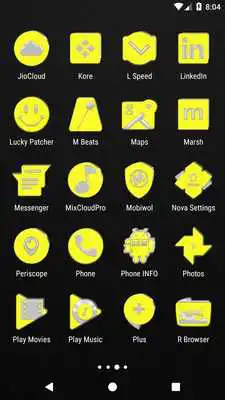
Play this online game named Bright Yellow Icon Pack v3 ✨Free✨.
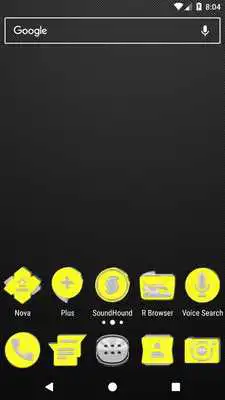
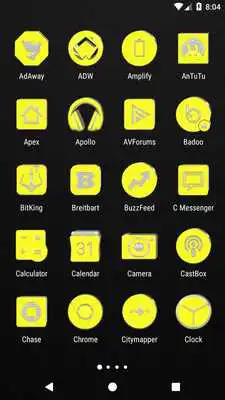
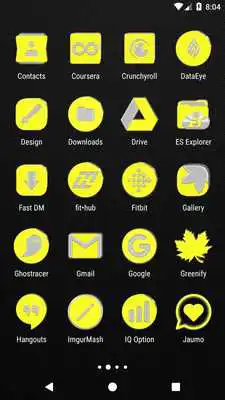
NB: New layout so if u have any version below v2 installed, UNINSTALL first to avoid any app crashes, then install current version.Icon Pack contains 2000+ HD Icons for mobile phones and tablets, click on "See More" at the bottom of the page or search for "Ronald Dwk" for more icon packs, there are over 100 icon packs to choose from in different colors, shapes and designs. Enjoy
Request no.10 Bright Yellow Icons, Enjoy.
Previous requests: Teal Icon Pack, Red Orange Icon Pack, Bright Red Icon Pack, Bright Blue Icon Pack, Bright Cyan Icon Pack, Bright Green Icon Pack, Bright Orange Icon Pack, Bright Pink Icon Pack and Bright Purple Icon Pack.
Compatible with the following Launchers:
Action Launcher
ADW Launcher
Apex Launcher
Atom Launcher
Aviate Launcher
CM Theme Engine
GO Launcher
Holo Launcher
Holo Launcher HD
iTop Launcher
KK Launcher
LG Home
Lucid Launcher
M Launcher
Mini Launcher
MN Launcher
New Launcher
Next Launcher
Nougat Launcher
Nova Launcher
S Launcher
Smart Launcher
Solo Launcher
V Launcher
ZenUI Launcher
Zero Launcher
ABC Launcher
Fully Compatible but not Included in Apply Section: Apply via your Launcher
Arrow Launcher
Evie Launcher
ASAP Launcher
Cobo Launcher
Line Launcher
Mesh Launcher
Peek Launcher
Z Launcher
Launch by Quixey Launcher
Partially Compatible:
+HOME: Only supports +HOME icon picker, need to apply icons manually (Tap and hold then edit).
Turbo Launcher: Only supports Turbo Launcher icon picker, need to apply icons manually (Tap and hold then edit).
NOTE: I have tested on the above launchers, there might be more supported launchers which hasn't been tested yet.
Note: Some Launchers require to change some icons Individually
How To Change Icons Individually
-----------------------------------------------------
1.Hold down the specific icon and release it, then a small pop-up will appear.
2.It will allow you to change the icon and the name.
3.Select the icon, this will show your icon packs, select B.Y IconPack and choose your favourite icon, Built-in Search Feature within the App.
• Icon Requests: Use the in-app feature or e-mail below
• 30 Cloud Based Wallpapers
• FAQS section in app
• Icon Previews in app
• App Light and Dark theme
• Firebase Cloud Messaging (Update Notifications)
• Apply Icon Pack from within the App or via your Launcher
• Recommended Launcher: Nova Launcher
Updates:
Added 600+ Requested IconsAdded S8 System Icons
Added 30 Cloud Based Wallpapers
Re-designed 900+ Icons
Changed Dashboard Layout
App Light and Dark Theme
Minor Bugs Fixed
Firebase Cloud Messaging (Update Notifications)
Bright Yellow Icon Pack v3 ✨Free✨ from UptoPlay.net
Page navigation: