


Bluetooth Remote PC
Bluetooth Remote PC
The official app & game
Distributed by UptoPlay
SCREENSHOTS
DESCRIPTION
Use UptoPlay to play online the game Bluetooth Remote PC.
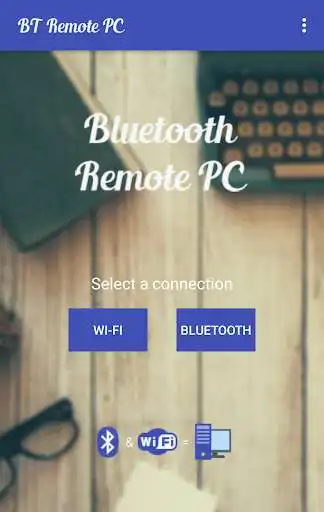
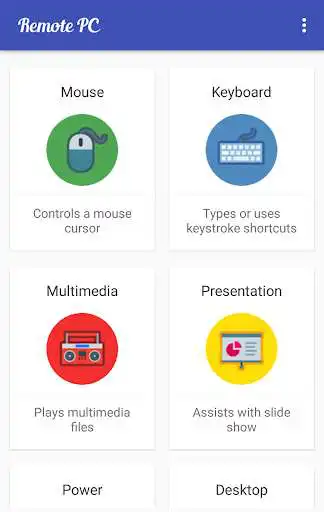
Get access to your computer via Android. The application provides access to services such as mouse, keyboard, multimedia, presentation, power system commands, terminal or even display desktop.
DOWNLOAD SERVER:
http://www.androidremotepc.com/downloads/
Requirements:
Java SE Runtime Environment 8: http://www.oracle.com/technetwork/java/javase/downloads/index.html
Steps to connect:
1. Download the Server - Go to our websites www.androidremotepc.com and play online & install the Remote PC Server 2.0 to your computer!
2. Prepare your PC - Turn on the wireless adapter & pair the PC via Bluetooth or get the IP address.
3. Run the Server
\ta. Open the Server & check the status in the Notification Area.
\tb. Run the mobile app, choose a connection and find your PC from the paired devices list or type the Wi-Fi address.
4. Need Help? - If you still can not establish a connection with your computer, you shall visit our tutorial web page.
Tutorials & support:
http://androidremotepc.com/tutorial/
[email protected]
Features
Mouse
Keyboard - typing or keyboard shortcuts
Multimedia - Apple iTunes, Clementine, KMPlayer, PowerDVD, Rhythmbox, VLC media player, Winamp, Windows Media Player
Presentation - MS PowerPoint, OO Impress, Adobe Reader
Power - shutdown, restart, hibernate, sleep, switch user, lock
Remote terminal
Remote desktop
Supports these OS
Windows XP, Vista, 7, 8, 10
Linux
Mac OS X
If you like this app, please support us and buy the "Remote PC app" over Google Play.
Our premium app offers no ads, connection over Wi-Fi and much more.
Thank you for using!
Get in touch with Remote PC:
http://www.androidremotepc.com
Become a fan of Remote PC on Facebook:
https://www.facebook.com/androidremotepc
By Jiri Rozkovec
Enjoy with UptoPlay the online game Bluetooth Remote PC.
ADDITIONAL INFORMATION
Developer: Rozky
Genre: Communication
App version: 2.0.3.1
App size: 6.0M
Recent changes: * Link to Privacy Policy added
* Android SDK 28 updated
* bugs fixed
Comments:
`Stop looking for an app to control your PC, this IS the one you need! I have a BT keyboard and mouse but it only works within 10' of my home. I bought the option for WiFi so I can use this everywhere on my property to control the pre-amp volume on my PC that plays music to my 4,000 watt Home Theater. To be able to crank it up and only costs $1.58, WAY worthwhile. FYI, to use WiFi, right click Server icon on your PC, select "Show Info this is where you find your PC's IP to enter in the app.`,PERFECT! Exactly what I was looking for, let's me control my laptop from my phone right over the bluetooth connection! Thank you!!
Please add the "turn off screen display" button. That will be even better for me. Great app however.
Good app. It seems all functions are working as expected. Thanks for developing this.
Can't work.. especially the Bluetooth.. Useless.. wastage of time and data"
Page navigation: