


VBE ITC K2 Ultimate Ghost Box
VBE ITC K2 Ultimate Ghost Box
The official app & game
Distributed by UptoPlay
SCREENSHOTS
DESCRIPTION
Play this online game named VBE ITC K2 Ultimate Ghost Box .
VBE ITC K2 Ultimate Ghost Box is vbeitck2ultimate,tools,k2ultimate, content rating is Everyone (PEGI-3). This app is rated 5 by 1 users who are using this app. To know more about the company/developer, visit VBE INC. website who developed it. com.VBE.VBEITCK2ULTIMATE.apk apps can be downloaded and installed on Android 2.3.x and higher Android devices. The Latest Version of 2.0 Available for download. Download the app using your favorite browser and click Install to install the application. Please note that we provide both basic and pure APK files and faster play online speeds than APK Mirror. This app APK has been downloaded 884+ times on store. You can also play online com.VBE.VBEITCK2ULTIMATE APK and run it with the popular Android Emulators.
VBE ITC K2 Ultimate Ghost Box

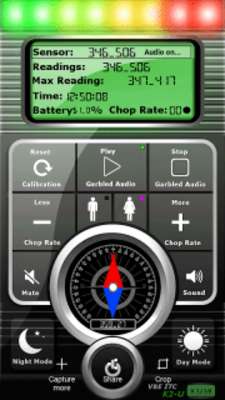
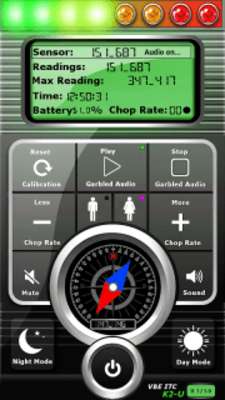
 This app is designed to be used for the Precise Location Detection of a Ghost. Once the Spirit has been Located. Simply activate the Audio to start your conversation. Always explain to the Spirit/s to touch the device, only when they are speaking.

 Testing at home:

A) Using a piece of metal or Magnet

1) Start the app.

2) Wait until calibration is Complete

3) Move the metal or magnet towards your device.

4) Device will start beeping faster as the Metal / Magnet gets closer.

     Leds will increase up to red as the Metal / Magnet gets closer.

     The Compass arrow will aim towards the Metal / Magnet.

5) You have just tested the App and have proven it works!

Is your device Magnetized?

How to tell?

1) Start the app

2) Wait until Calibration is completed.

3) Look at the Compass Needle.

4) Turn your device 360 degrees.

5) If the needle does not stay pointing in the same direction. Then your device is

     magnetized.

How to demagnetize my device?

LINK TO VIDEO:

https://www.youtube.com/watch?v=F6qqsOobYkM

Includes the following:

1) EMF Auto Calibration for both North pull and User input

2) EMF Audio Control

3) Proximity based on EMF Fields

4) Audio Chop Rate Control

5) Audio

    A) MALE

    B) FEMALE

6) Night Mode ( Display becomes dark )

7) Day Mode  ( Default Mode )

8) Mute

9) Auto Calibration on Demand

10) Live Sensor Data

11) Readings Current

12) Maxed Reading

13) Compass Sensor Display

14) 8 Leds for Precise Location Distance ( Proximity to Device )

15) Device Compensation ( Quality of Compass Sensor, Compensated for all Devices )

16) Battery Power Percentage

17) Current Time ( Military for World Use )

18) Calibration Display

19) Chop Rate Indicator

20 ) LIVE SUPPORT at https://www.facebook.com/groups/VBEINC/

Thank you for your Support...
Updates:
- Moved the Battery Percentage. Some phone showed it overlapped.
VBE ITC K2 Ultimate Ghost Box from UptoPlay.net
Page navigation: