


Whereby

Whereby
The official app & game
Distributed by UptoPlay
SCREENSHOTS

DESCRIPTION
Use UptoPlay to play online the game Whereby.
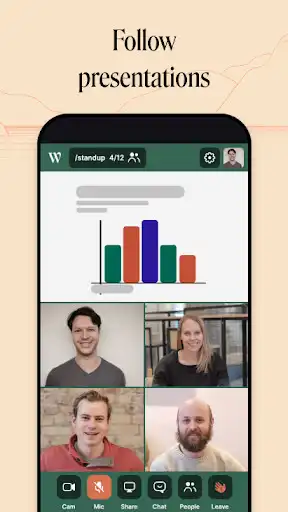
Easy and flexible meetings on the go. Start or join meetings on your phone and with great features like the in-app chat. You can also follow along with screen share presentations right from your phone.
Whereby (formerly appear.in) is ranked #1 in ease of use on G2 Crowd. Join the millions of others just like you who use Whereby to have delightful video meeting experiences.
Features:
- Instantly join a video meeting: Easily join a meeting with no login for guests.
- Screen sharing: Follow presentations right from your device.
- In-app chat: Share important links or notes with in-room chat.
- Secure conversations: We never store or analyze your video and audio conversations.
--
Questions? Weve got your back. Get in touch at [email protected] and were happy to help.
Please note: Charges for data traffic may apply when using mobile networks.
Enjoy with UptoPlay the online game Whereby.
ADDITIONAL INFORMATION
Developer: Whereby
Genre: Social
App version: 2.3.0
App size: 892k
Recent changes: We're updating the Whereby Android app with our new brand identity following our name change earlier this year. Take your meetings on the go and experience flexible working with Whereby.
Comments:
Not bad, but at least me, I'm experiencing issues with the connection during the videoconferences . I miss also the possibility to mute/unmute the micro when doing a video call with many people. You can shut off when connecting, but it's difficult to manage it when the meeting starts.
The problems I am facing are as follows. -The app has changed the microphone preference in a weird way. All the other notifications like WhatsApp/Hangout became inaudible after installing this app. They remain inaudible till I access the Appear.in app preference and select the proper microphone. I need to repeat this activity after sometime, as the app automatically modifies it to the default microphone. Devs, please fix it. -The recipients hear a feedback due to the microphone settings. The microphone settings is difficult to understand. -The camera is inverted. Therefore, can not share a text during the meeting.
I had 2 main problems with this app. (Samsung note 8) 1. I couldn't get the microphone to work during video chat 2. In 6 hours, without even open the app, it consumed 21% of my battery. Probably there are some issue with the background management. So sorry, because it seems very useful and easy to use.
I use the desktop version quite often, but when I tried using the app, ir woulnd work via bluetooth earphone. I had to access the room through my phone browser, which defeats the purpouse of the app. Besides the app seems like just a ghost browser that open the usual site. 0/10 UX
Does not work with BlueTooth and does not show proper names for devices. E.g. hash-names are shown, such as "7f6c1
"3d560" instead of "Camera, front "Camera, brack". No bluetooth headset support, makes it completely useless, for me atleast. Please fix! The service works OK in Google Chrome but is really resource heavy, was hoping for some sort of "acceleration" by using the App instead, but it is actually worse than just using a browser.'Page navigation: