


PicaSim: Free flight simulator
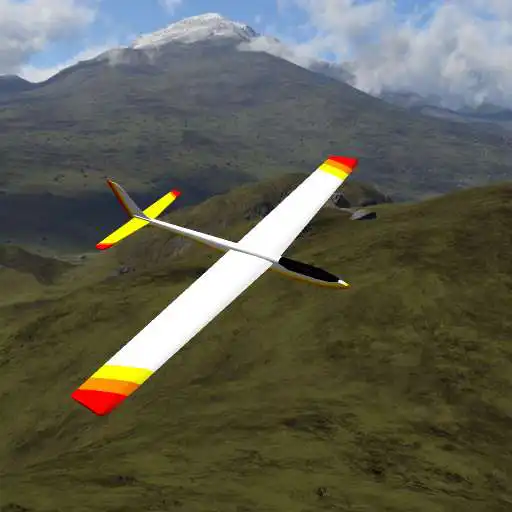
PicaSim: Free flight simulator
The official app & game
Distributed by UptoPlay
SCREENSHOTS
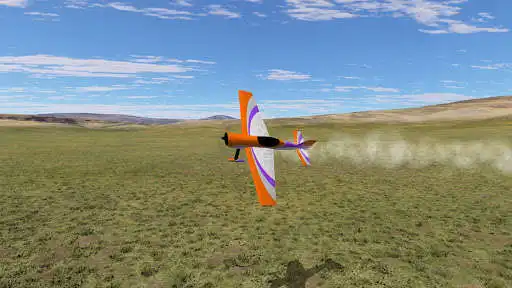
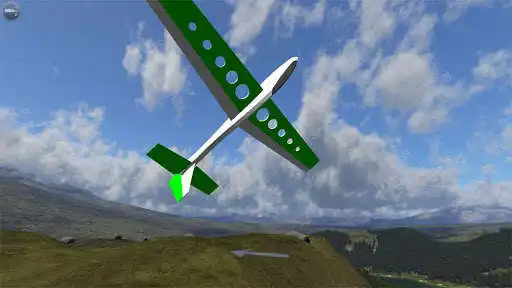
DESCRIPTION
Use UptoPlay to play online the game PicaSim: Free flight simulator.
Learn how to fly radio controlled planes, practise aerobatics, or just to have fun flying around on a rainy day. Watch the video at http://youtu.be/uSv34QZ-kEo for some hints on how to fly. Or http://youtu.be/7kudDPjr_gQ to see the latest feature: AI/computer controlled planes to keep you company.
PicaSim flight simulator focusses primarily on incredibly realistic R/C glider flying (slope and thermal), including wind flow, turbulence and thermals in the simulation. The gliders range from small flying wings like the Weasel, aerobatic planes like the Phase 6, Le Fish and the Jart, up to larger soaring and scale planes, plus a full size hang glider. But there are powered planes too, including a fully aerobatic powered plane, the Extra 3D, as well as a control-line plane. Almost all the gliders can be launched by hand, with a bungee/high-start, or by aerotow.
There's a forum for posting bugs, suggestions and general discussion at http://picasim.freeforums.org or you can ask questions on the Facebook/Google+ pages.
Read a detailed review of PicaSim flight simulator in the February 2013 edition of Radio Controlled Soaring Digest: http://www.rcsoaringdigest.com/ where it says "PicaSim is a fantastic flight simulator ... after a short time its like having a real transmitter in your hands".
Please remember it's a flight simulator, not really a game. There are no compromises in terms of the simulation, handling or control. If you find it hard to fly - that's because flying R/C planes is hard (at first), but a fun and rewarding skill to master. PicaSim won't teach you to fly a R/C plane, but it can help you learn.
It comes with a large selection of aircraft (mainly gliders for the moment), multiple terrains to fly in, and many settings so you can configure it as you see fit, or create your own terrains to fly around.
It is completely free - no in-app ads etc. However, if you like it, find it useful, or would like to support future improvements etc please feel free to make a small contribution - it will be hugely appreciated! You can do this through the PicaSim full version, or visit the website.
The Full version also includes additional scenes, races, limbo challenges and planes (including a quadcopter). It will contain more "bonuses" over time, as a little thank you for contributing.
If your device is Android 3 or above and supports USB OTG, you can probably use an external USB gamepad or joystick, or even your R/C Transmitter (via an interface), using a USB OTG cable/adapter (very cheap). Its definitely worth trying. Make sure you connect the controller before running PicaSim, and then set it up in the settings->joystick menu. Here's a video walking through the setup: http://youtu.be/HnM0YDfVArs
A few things:
1. If you've never flown an R/C plane before, I suggest watching at least the start of this video: http://youtu.be/FsbOyWK_8zo - it will give you a few tips about how to not crash. Keeping airborne is pretty hard at first!
2. If you select a multi-stick controller (mode1 or mode2), watch out for glitches. If the sticks don't always follow your screen touches, your device probably doesn't support full multi-touch. Select "stagger controller" in Settings->Options.
Please keep an eye on the website (or follow on Facebook/Google+) for info on updates etc - it's also available on iOS and Windows. When it's more feature complete I'll add more info on all the settings and how to configure/use it properly... until then please just experiment, and contact me if you have any questions or suggestions.
Permissions: It saves settings to the SD card, mainly because it supports using user-generated content. It needs the "Phone calls" permission for Marmalade - I think this is to handle interruption by incoming calls properly. PicaSim does not access any personal data on the device.
Enjoy with UptoPlay the online game PicaSim: Free flight simulator.
ADDITIONAL INFORMATION
Developer: The Rowlhouse
Genre: Simulation
App version: 1.1.1074
App size: 34M
Recent changes: • Add Litermonthalle Nalbach indoor scenery by Detlef Jacobi.
• Improve object editing.
• Improve plane scaling.
• Graphical improvements. If upgrading on a low-end device, you may need to disable "Separate Specular" in the options if this causes too much slowdown.
• Reduce the wind strength in front of slopes slightly.
Please contact [email protected] with bug reports and questions.
Comments:
everything looks great and looks Amazing. Thank You for adding smoke, and I hope You Keep improving the game in a better way.
Great game but all the maps should have a option where it can be 3d or not but i love the game either way
Best RC plane Sim I've ever played! The only problem I have is that it suddenly crashes sometimes, which can get annoying, but all in all good. Controls are a bit difficult but you just have to get used to them. Unlike most other Plane Sims, this one isn't a cash grab, only the most special planes are locked and worth the price instead of just giving you two or three free planes. Keep it up! Don't ruin the game...it's just... perfect.
This is my all time favorite simulator for the android. The flight simulation is the most realistic I have seen. Every once in while there is something not correct. But it is so close that it is hard to decide if it the app or me. I use it to keep my flying reflexes current when I cannot get to the field . I have been flying RC for 40+ years.
I remember playing this when I was younger. I love this app and how easy it is to fly planes and gliders. Thank you very much for developing this game and making my childhood better.'
Page navigation: