


ZenKey Powered by T-Mobile
ZenKey Powered by T-Mobile
The official app & game
Distributed by UptoPlay
SCREENSHOTS

DESCRIPTION
Use UptoPlay to play online the game ZenKey Powered by T-Mobile.
ZenKey powered by T-Mobile provides a quick, simple way for you to register for and login to participating websites and apps without usernames and passwords.
ZenKey Features:
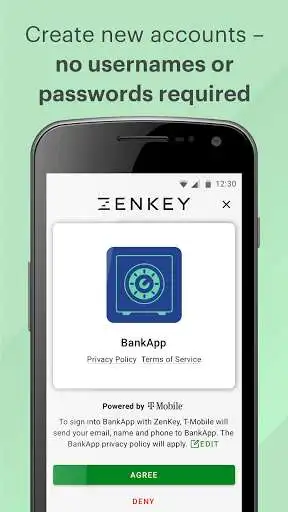
- Create new accounts no usernames or passwords required!
- Easily add your new and existing websites and apps to ZenKey
- One touch login to accounts and services
- Seamless two-factor authentication
- Control the personal information that is shared with third parties
- Review and approve transactions real-time
ZenKey uses unique multifactor authentication with the device and wireless network which includes:
- A T-Mobile-certified app
- PIN and biometric security
ZenKey gives you faster signup and access to participating apps.
Available for T-Mobile postpaid, prepaid and business wireless customers with eligible wireless service. This app is currently not supported on Metro PCS devices.
Rates: Data charges may apply for app play online and usage. Other restrictions may apply.
Eligibility: Compatible device required. Android 7 Nougat and above.
For complete terms of service for ZenKey powered by T-Mobile visit: https://myzenkey.com/terms/t-mobile.html
For Privacy terms visit: https://myzenkey.com/privacy-carriers/t-mobile.html
Enjoy with UptoPlay the online game ZenKey Powered by T-Mobile.
ADDITIONAL INFORMATION
Developer: T-Mobile USA
Genre: Tools
App version: 01.04.0003
App size: 104M
Recent changes: Bug fixes and performance improvements
Comments:
Agreed, this app is simply not ready for prime time. It installs fine but crashes every time I try to set it up. The FAQ is useless, provides no trouble shooting tips and T-Mobile reps know nothing about it. Users should not be unwittingly forced to be beta testers. Please thoroughly test your products before releasing them and provide them with some self help options...it will alleviate a source of frustration. I have a Samsung Galaxy Note 9 with Android 10. This was a flagship phone .
I've read all the negative reviews from people having issues setting up the app, so I went in expecting issues. I don't know if I was just lucky or if it was user error on the others part, but I found the setup process easy and straightforward. I had everything set up in about two minutes. Now the only issue is waiting for other apps and sites to actually use it.
Setup was easy. As for the pin... I'm not sure about those that possibly had one previously setup with Tmobile but I didn't so it was asking me to create a PIN. I had no issues with that. Also, because I already had an account setup with Tmobile it recognized my email making verification easier than going to check your email to verify I guess. Once set up the demo lists accounts different than what are actually available which are only 5. Very disappointing! Hopefully they will add more soon.
Doesn't work. Just asked for PIN (which I never set up) or a my T-Mobile credentials. When I provide the credentials it's a constant loop of being asked to do it over and over again. What a terrible launch.
Update 12/09/20: ZenKey contacted me and said it should work now. It doesn't. Moving on. Life is too short. Do not install yet. This app is not ready for prime time and T-Mobile's tech support cannot help. I installed it on my new OnePlus 8 and the installation did not complete successfully. According to my T-Mo support rep, I'm one of many people with the same problem. While the app looks promising, it is not working yet."
Page navigation: