


Typing Land

Typing Land
The official app & game
Distributed by UptoPlay
SCREENSHOTS
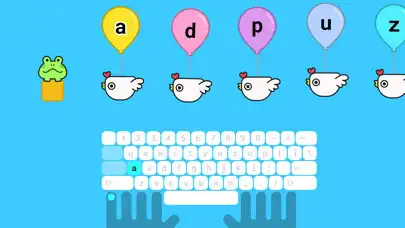
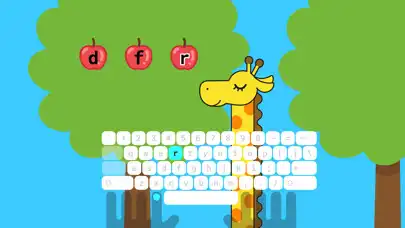
DESCRIPTION
Use UptoPlay to play online the game Typing Land.
Learn how to type through 40 kinds of mini-games!
A physical keyboard is required to run this app.
- Features
1. From finger placement
Learn from basics including how to position the fingers.
2. Free lessons
All 81 lessons are free to play. Donations are appreciated!
3. No advertisement
Completely kids-friendly and ads-free.
4. Play offline
Once installed, games can be played offline.
- Collect the badges
Earn badges by achieving lesson goals. Play to collect all 150 badges. Each badge can be set as your profile icon.
- Challenge-mode for your next step
Once you get used to the typing lessons, try the Challenge-mode. Score is determined by your typing speed and accuracy. Practice with pre-set sentences or texts of your choice.
- Exclusive game
If you enjoy Typing Land, please make a donation to the developer. Donation will unlock the exclusive mini-game, "Typing Sword".
- Organization and corporate use
If you are using this app as an organization or a corporation, please switch to the "School Edition", which allows you to add up to 60 players.
- From the developer
Thank you for your interest in Typing Land. We have developed this app as a safe platform for children and adults around the world to use. It is also a great tool for use in your company or classroom.
Enjoy with UptoPlay the online game Typing Land.
ADDITIONAL INFORMATION
Developer: higopage
Genre: Education
App version: 1.0.3
App size: 41M
Recent changes: Added global ranking.
Added support for DVORAK and COLEMAK keyboards.
Added support for keyboards with only one Shift key.
Comments:
Im an adult, but this app is so helpful. I downloaded it, along with 2 other learning apps, so I could learn to type faster the correct way, and this app is the best one I downloaded. It makes it fun and interesting to learn! I highly recommend this app, even for adults that want to learn to type!!!
why do i need to click shift always when typing/answering? i already click the Caps Lock but still, it wont. i need to click shift and the letter together so it will be correct. can somebody help me? im teaching my son.
My daughter really enjoys a lot. She said it is very fun and easy to do.
Enjoyed the game a lot! But I couldn't get any crowns at all and got stuck at the end of world 2
Just paid the $4.99 for the Sword game that can come with this. I'm buying this for the kids in my family. Steam is next. 5 Stars. Again, thank you Higo."
Page navigation: