


Luma: heic to jpg converter and viewer offline

Luma: heic to jpg converter and viewer offline
The official app & game
Distributed by UptoPlay
SCREENSHOTS
DESCRIPTION
Use UptoPlay to play online the game Luma: heic to jpg converter and viewer offline.
Luma is designed to enable you open and convert to jpeg multiple images with *.HEIC file extension at a time. These are images in High Efficient Image Format (HEIF). Images in this format take twice less space on your device without any loss of image quality. Using this format will help you to save up to 50% of storage space for images.
Luma works completely offline and you don't need to internet connection to make the app working. You can either open single image or select any number of images and convert them to jpeg without loosing quality or metadata.
App features:
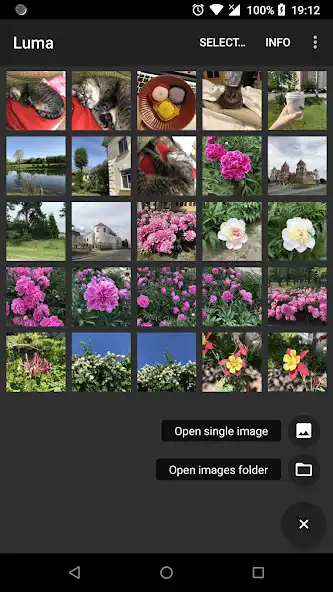
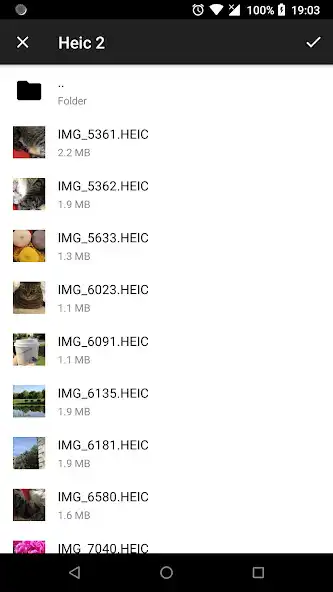
* Browse and view any folder containing *.heic files.
* Open and view *.heic images.
* Save and share *.heic images in *.jpeg format.
* Batch convert any number of *.heic images preserving quality and metadata.
* Preserve all image metadata like: location, Exif, XMP, Copyright, ICC profile.
* Preserve depth image if presented.
HEIF is smaller and better
HEIF or High Efficiency Image File Format is the still-image version of the HVEC or H.265 video format. Its main advantage is that photos saved in HEIF are roughly half the size of JPEGs, and of better quality. That means you can store twice as many photos on your phone before filling it up or, looked at another way, you can keep all the photos you have, while freeing up a ton of gigabytes on your device!
HEIF is flexible
HEIF offers other advantages over JPEG. For starters, it is not so much a file format as a container for files. A JPEG is a single image, but a HEIF can be a single image or a sequence of images.
This makes HEIF perfect for Live Photos, but also makes it a potential replacement for GIF. HEIF also supports transparency, and image color up to 16 bits, versus JPEGs measly 8-bit color.
In practice, this means that HEIF can capture all of the extended color range provided by the cameras 10-bit color output. In other words, you will no longer see ugly banding across a blue sky.
Photos will take up less space, while looking better
They will upload and play online much faster. And, if the rest of the world adopts HEIF in place of JPEGs, then the whole web will operate more quickly.
By making the move to High Efficiency Video Coding (HEVC) and High Efficiency Image File Format (HEIF) we are getting ready for the future of media consumption and creation!
*For now Luma supports only one still image in HEIF format. Multi-image and video support will be added in next versions so keep updated!
Enjoy with UptoPlay the online game Luma: heic to jpg converter and viewer offline.
ADDITIONAL INFORMATION
Developer: Sergey Pekar
Recent changes: Stability improvements
Page navigation: