


Hot Valentine Apex / Go Theme

Hot Valentine Apex / Go Theme
The official app & game
Distributed by UptoPlay
SCREENSHOTS



DESCRIPTION
Play this online game named Hot Valentine Apex / Go Theme.
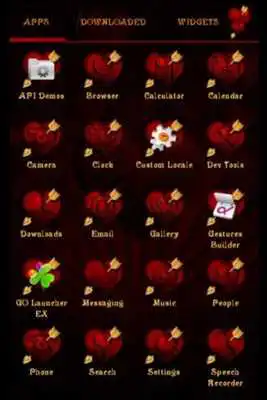
Hot Valentine Theme Apex/GO Launchers ThemeIt is an Apex- and Go- Launcher Themes i.e. it will work on either or both launchers.
The Theme includes 3 wallpapers, clock and package of icons.
Apex Launcher:
- Install Apex Launcher.
- Install Theme.
- Tap on "Apex Settings".
- Choose "Theme Settings".
- Select the Theme and apply it.
GO Launcher:
- Install Go Launcher.
- Install Theme.
- Tap on "Themes" icon and choose "Installed" tab.
- Select the Theme and apply.
To change an icon:
Long press on any application icon on your desktop.
"Replace" menu will popup.
Press on the "Theme's icon" and choose
any icon you like for your application.
To Change the Wallpaper:
Find wallpaper chooser and select the Theme's wallpaper.
Scroll among wallpapers, select desirable and press "Set wallpaper" button.
To Open the Clock:
Select "Widgets" and find the Theme's clock
It is still very useful to watch YouTube video about the Theme.
Updates:
Hot Valentine Apex / Go Theme from UptoPlay.net
Page navigation: