


BeliVue Viewer

BeliVue Viewer
The official app & game
Distributed by UptoPlay
SCREENSHOTS
DESCRIPTION
Use UptoPlay to play online the game BeliVue Viewer.
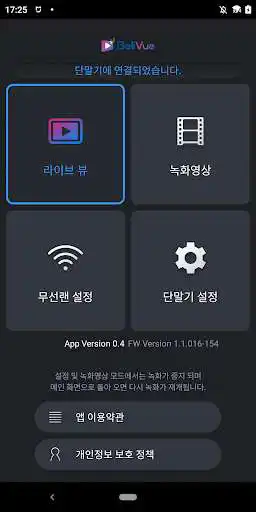
Application for wireless LAN connection of BeliVue black box
You can view the video of BeliVue black box by connecting via WiFi on your Android smartphone.
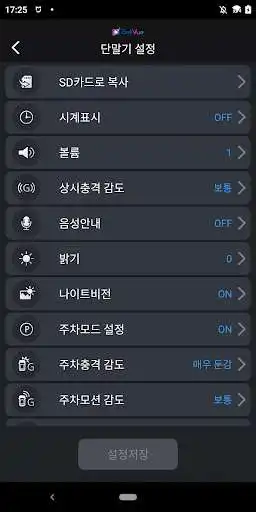
Users can change the wireless LAN settings and terminal settings of the BeliVue black box.
In addition, you can save and play the video recorded on the recording device (internal memory or SD card) on your smartphone, and you can remove old files.
[function]
View the current camera (live view) video of the black box
Display the video recorded in the black box
Deletion and play online of video recorded in the black box
Change the black box terminal settings
Change the wireless LAN (WiFi) settings of the black box
[How to use]
1. Power on the BeliVue black box.
2. Press and hold the OK key on the BeliVue black box for more than 2 seconds to turn on the wireless LAN.
3. Select "BV2000" from the "Settings>Wi-Fi" menu of the smartphone to connect.
(Enter password when connecting for the first time)
4. Launch the BeliVue Viewer app on your smartphone.
5. Use the app after checking the wireless LAN connection.
Enjoy with UptoPlay the online game BeliVue Viewer.
ADDITIONAL INFORMATION
Developer: fmproject
Recent changes: 최초출시
Page navigation: