


apMemo Lite - Graphic Notepad
apMemo Lite
The official app & game
Distributed by UptoPlay
SCREENSHOTS
DESCRIPTION
Use UptoPlay to play online the game apMemo Lite - Graphic Notepad.
Amazingly handy, quick, easy to use graphic memo / notepad and reminder with well thought-out interface!
- Just open apMemo Lite and instantly you are ready to take notes;
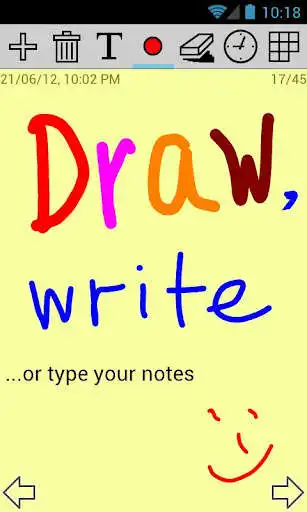
- Simply jot down handwritten notes with your finger or stylus;
- Type text notes;
- Draw pictures or schemes;
- Sketch and scribble;
- Enter a checklist and mark or strike the items out like you'd do on paper;
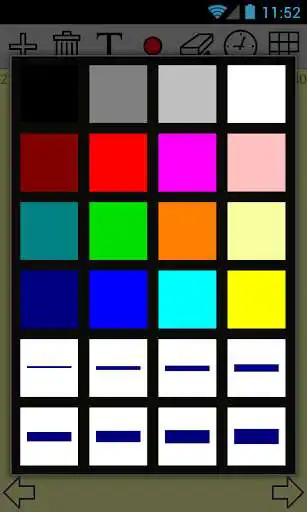
- Easily select pen size and color for the notes;
- Set notes reminder with just a couple of taps;
- Move between the notes back and forth;
- Use a thumbnail notes view to quickly switch to another note;
- No need for a backup: notes are stored on the memory card;
- Take as many notes as you want - the number of notes is unlimited;
- Put your notes on the Home screen, like sticky notes, using apMemo Lite widget.
apMemo is the easiest, fastest, and the most convenient way to create notes, memos and reminders!
Full version of apMemo has the following additional features:
- Share notes via Facebook, Twitter, GMail, Dropbox, and other apps;
- Export note to a file;
- Customizable and repeating notification sound;
- Optional vibration and LED pulse on notification;
- Smoother antialiased lines;
- More background colors and textures, including selection of any image or photo;
- Resizable widgets.
Please note: even though apMemo can be installed on the SD card, this is not recommended, as it may cause some issues. The widgets in Android do not work in this case, and sometimes reminders may have problems due to the SD card not being available.
Required permissions:
"Modify/delete SD card contents" permission is needed to store notes on the SD card.
"Prevent phone from sleeping" permission is needed to let reminders work.
"Control vibrator" permission is needed to vibrate on reminders.
"Automatically start at boot" permission is required only to quickly restore the previously set reminders on reboot. The application does not stay running after that.
If you have any questions or comments, please do not hesitate to contact us by emailing to [email protected]. Unfortunately Google Play does allow to respond directly to the person asking questions here, so please contact the developer by email, this would allow us to resolve your issues quickly.
IMPORTANT NOTE: If you are experiencing problems with all apMemo notes being deleted, please check if you have any automatic cleanup utility installed on your device. Some of them are known to delete important files from SD card.
Enjoy with UptoPlay the online game apMemo Lite - Graphic Notepad.
ADDITIONAL INFORMATION
Developer: APSoft Systems
Genre: Productivity
App version: 3.0.1.201025
App size: 1,002k
Recent changes: New in this version:
- Added support for new versions of Android;
- Fixed issues with notifications;
- Other improvements and stability fixes.
Comments:
This app actually even on entry level phone How?..... Well you can zoom your small phone screen..... Then write the memo on a single page...... Then there is plenty of space OR you can use multiple note pages..... As the tool recommends you to do..... Then just press the GRID shape to see all your paragraph as a message. Thanks.... Your free app is somehow useful Thanks
The program causes a crash in the mobile.but it work very good
Used tp be very good... now hangs & shuts down
I love it works great
Sharing option do i want you big app mother son,ok'
Page navigation: