


CPU Simulator (CPU Scheduling)

CPU Simulator (CPU Scheduling)
The official app & game
Distributed by UptoPlay
SCREENSHOTS
DESCRIPTION
Use UptoPlay to play online the game CPU Simulator (CPU Scheduling).
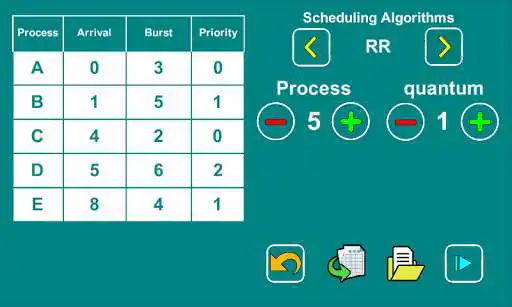
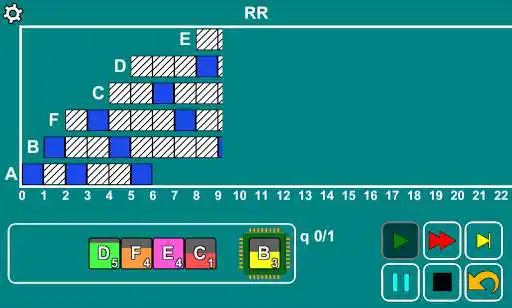
CPU simulator resolves and graphs different CPU Scheduling algorithms. Graphical display of process control in the CPU and generating the results at the end of the simulation.
It is useful for student of computer science in the teaching of Operating Systems
FEATURES:
- 6 processes maximum
- 7 CPU Scheduling algorithms
* First Come First Serve (FCFS)
* Round Robin (RR)
* Shortest Job Next (SJN)
* Shortest remaining time (SRT)
* Priority Scheduling(PS) (no preventiva)
* Priority Scheduling(PS) (Preemptiva)
* Highest Response Ratio Next (HRN)
- Automated data generator
- Option to save the simulations
- 3 simulation options
* Step by Step
* Automatic
* fast
- Show result table at end of simulation
Enjoy with UptoPlay the online game CPU Simulator (CPU Scheduling).
ADDITIONAL INFORMATION
Developer: Jeico Games
Genre: Education
App version: 3.0
App size: 20M
Recent changes: - Improved application performance
- Full-screen video advertising changed by banners
Comments:
I'm fall in love with this app.real its awesome app. But please add context switch overhead in RR algorithm and give permission to set upto 15 burst time. ASAP
a good app but the creator should double check the priority preemptive and nonpreemptive part, seems incorrect
It does not accepting burst time more than 9.
I think the program doesn't implement the Preemptive priority scheduling correctly in case of equal priorities, try it eg. These processes: AT BT PR 0 5 1 2 2 2 4 5 3 5 3 4 the fourth (D)process is executed b4 the second one(B) although B came first.
Ads hide the content, so the app can't be used."
Page navigation: