


Camarada: 3D Camera, 3D Video, 3D Selfie, 3D Photo
Camarada: 3D Camera, 3D Video, 3D Selfie, 3D Photo
The official app & game
Distributed by UptoPlay
SCREENSHOTS

DESCRIPTION
Use UptoPlay to play online the game Camarada: 3D Camera, 3D Video, 3D Selfie, 3D Photo.
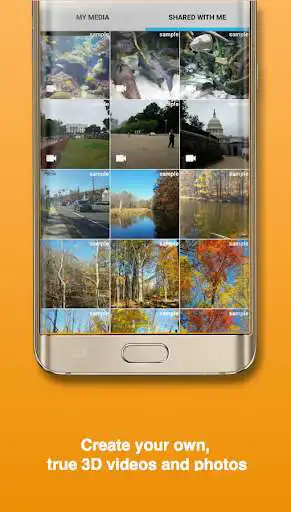
Grand Prize winner of the Google I/O Experiments Challenge, Camarada is a true 3D camera that lets you capture 3D pictures and 3D videos, and enjoy amazing 3D effect/3D illusion right on your screen or share with friends!
Also supports Cardboard VR viewers (stereoscope), red-cyan glasses (anaglyph), , parallax view/cross view, and 3D TV!
Solo Mode: In this mode, you capture stereoscopic 3D images quickly by panning your smartphone from left to right. The 3D images are then converted to 3D GIF (smooth wigglegram) or hologram ("tilt card"), parallax view or cross view, or with Cardboard VR viewers/red-cyan 3D glasses (anaglyph)/3D TV. This mode works for either portrait or landscape, and either front or back-facing camera. So yes - 3D selfies, too!
Dual-Phone mode: In this mode, Camarada syncs and links two smartphones to capture stereoscopic 3D videos. You then enjoy them in your Cardboard VR viewer/stereoscope. It is world's first and only mobile app that's capable of 3D video. If you have access to a second phone, whether it's your friend's phone or an old phone you have collecting dust, you just got yourself a true 3D camera! Compare this to buying a 3D/VR camera that costs hundreds if not thousands of dollars - yeah, it's crazy!
--------------------------------------------------------------
FAQ
1. My phone has a dual-lens camera, can your 3D app use it to capture 3D images/3D videos?
The two lenses in a dual-lens camera are only several millimeters apart. While technically you can capture "3 D" pictures with them, the 3D effect/3D illusion is minimal. The dual-lens cameras are intended mainly for other purposes such as enhancing image quality.
2. Why is dual-mode required to capture a 3D video?
You need two cameras capturing at the exact same time and from slightly different angles to have true, stereoscopic 3D video, period. There is no way around this - it's physics and it's how our eyes work. Any "3D camera" app that claims to capture "3 D" video using one phone, is not stereoscopic 3 D at all.
3. Do I need phones of the same kind/model for dual-mode?
No, you don't - you can use any combination of Android devices - whatever you happen to have. Camarada does the hard work and adjusts for the differences. If you happen to have identical phones, however, the software can detect and take advantage of this, and in some cases render higher quality 3 D.
4. Both solo and dual-mode can capture 3D photos, what's the difference?
Solo-mode is mainly used to capture 3D photos of static objects. It's great for outdoor scenery, for example. Dual-mode is intended to capture 3D photos of moving objects.
5. I'm a 3D photographer and I already have my 3D camera/3D rig/3D MPO pictures, what can your 3D app do for me?
Camarada is your best friend. It can import your existing 3D pictures in MPO or side-by-side jpg/jps formats, and convert them to 3D GIF (smooth wigglegram), hologram ("tilt card"), parallax view or cross view formats so your less geeky friends can enjoy. It features the most sophisticated Computer Vision algorithms to auto-align your existing 3D MPO images to an accuracy unmatched by any other 3D software, thereby improving the quality of your 3D pictures. And finally, if you are into lenticular printing, Camarada generates accurate intermediate frames (in-between views) great for lenticular printing and your lenticular prints will truly pop out!
6. What's the purpose of "3D frames" in the app?
"3D frame" is a unique concept of this 3D app. These 3D frames are placed at zero-disparity plane to stimulate the visual cortex with depth clues other than stereopsis. Similar to split-depth GIFs, this feature greatly enhances 3D effect/3D illusion when viewed with naked eyes.
Enjoy with UptoPlay the online game Camarada: 3D Camera, 3D Video, 3D Selfie, 3D Photo.
ADDITIONAL INFORMATION
Developer: Aimfire
Genre: Photography
App version: 1.9.26 beta
App size: 44M
Comments:
It's ok, but there are issues. First like others have said, pairing for dual video mode never works. I have multiple devices and no combination would pair. Secondly, I always have trouble getting the phone to switch into landscape mode when taking a picture. Changing device orientation works in every other app but this one. I've uninstalled and reinstalled to no avail. Lastly, when using Cardboard mode, you should allow Gamepad control, as not all VR headsets have the button.
Camera is difficult to get good results and often fails to read or render the image. App distorts/ changes vectors and points to achieve 3D effect but as a result only distorts the picture. Does the same with imported pictures and only allows a small area instead of entire picture. IF you get a good picture or results it's not true 3D but a mediocre effect that looks like it's almost 3D or trying to be 3D. Compared to a static picture it is nice but definitely not worth the frustration.
I LOVE 3d I have a Fuji W3 at home as was so hopeful this would be a good alternative to bringing it places, I instantly paid for the Premium version and was very excited, 1st off it does not connect with a second device, and the single mode give me a weird looking sliver of a picture. I was very hopeful, but this is not worth it.
it doesnt work to captchure at all. I have tried many different light sources, I have tried many different schenes and everything. Nothing works. i have all of the necessary sensors and instruments, i eaven have a dual camara, but the only thing that works is viewing already made photos.
REALLY bummed that there's no real FAQ's or support, tried using this with several phones and none will connect to each other. Still hoping to figure out how to make it work. We're on a good strong network, and just in case, I even turned on bluetooth on both phones, but I think it uses wifi?"
Page navigation: