


Watch Face - Hybrid Interactive
Watch Face
The official app & game
Distributed by UptoPlay
SCREENSHOTS
DESCRIPTION
Play this online game named Watch Face - Hybrid Interactive.
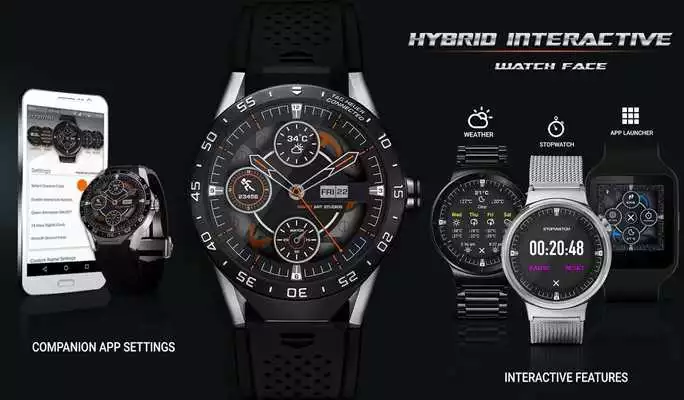
★Hybrid Interactive Watch Face !! is a Unique Style 3D Watch Face, With Unique Interactive Touch Features:Stopwatch
Weather Forecast
App Shortcuts
Custom Colors
New Style Batteries info
4 Agenda Events
Google FIT step counter
Hourly Chime Sound effect $& Vibration
Touch Sound &Vibration Effects and many Interactive Features for Android Wear 2.0.
★Tap Features: (*Available Only in Premium Version)
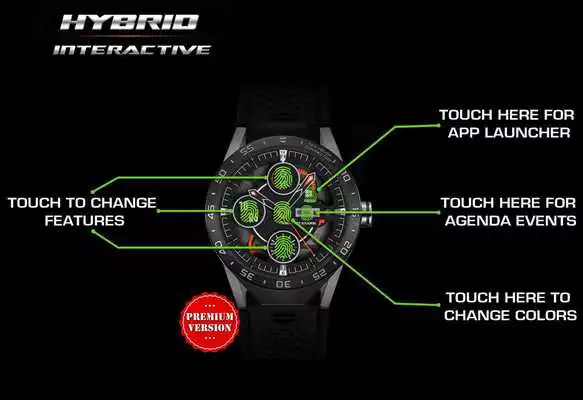
✔ Tap on 3 Feature Display Points, Touch to choose between from 9 Data Points.
✔ Tap on "CENTER" of Watch face to change colors of watch face with Touch.
✔ Tap on "MENU" on Main Watch face for Apps Launcher Menu.
✔ Tap on "WEATHER" in Menu to get 4 days Weather Forecast
✔ Tap on "DATE"to get 4 Upcoming Calendar Events.
✔ Tap on "STEPS" in MENU to open Google Fit Steps Details.
✔ Tap on "STOPWATCH" in MENU to open unique interactive stopwatch.
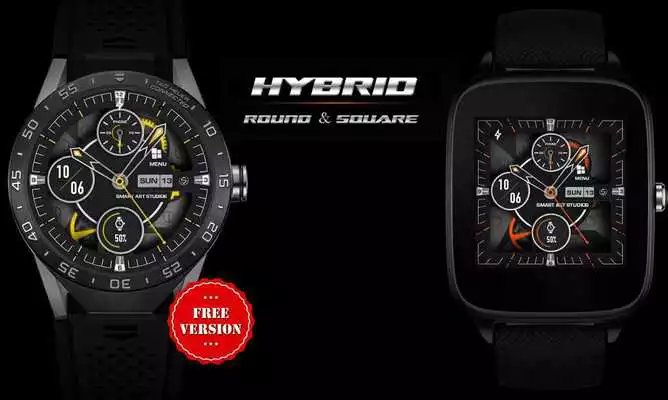
★ Free Version:
✔ Unique 3D Watch Face
✔ Android Wear 2.0 Fully supported
✔ Standalone watch face for iPhone and Android users
✔ Phone and Watch battery
✔ 12/24 Hour Digital Clock
✔ Date, Day, Month Name
✔ Black & White Ambient Mode.
✔ HD Graphics for All Watches Resolutions
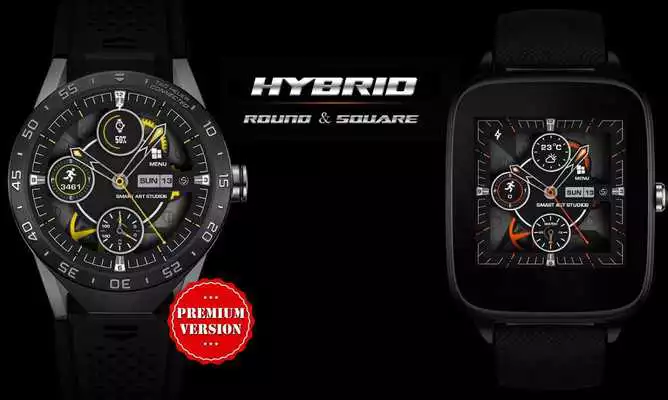
★ Premium Version Features:
✔ Hourly Chime Sound effect and Vibration on every hour
✔ Touch Sound Effect and Touch Vibration
✔ Unique 3D Watch Style, with Many Interactive Features
✔ 10 Predefined watch face colors, Changes on tap
✔ Interactive Stop Watch For Sports Activity
✔ Interactive Menu with App Shortcuts
✔ Upcoming 4 Calendar Events
✔ Weather info and Forecast for Next 4 Days, High/Low Temp, Wind Speed, Sunset/Sunrise info
✔ Two Weather Providers
✔ GPS or Manual Weather Location
✔ Fully Accurate Pedometer with Google Fit Integration.
✔ Tap on 4 Touch Points To Get Different Feature Select.
✔ 9 Interactive Data Complications.(Watch Battery, Phone Battery,Weather, Steps,Digital Clock,Dual Batteries and Many More)
✔ Screen Awake Time Option
✔ Your Custom Name on Watch Face
✔ 2 Ambient Modes
★Supported All Watches Resolutions:
★Compatible with Android Wear Watch Only , Not for Samsung Watches
Moto 360 (1st Gen)
Moto 360 2015 (42mm, 46mm)
Moto 360 Sports
Huawei Watch(1 & 2)
LG G Watch R
LG G Watch W100
LG Watch Urbane(1,2)
Sony Smartwatch 3
Samsung Gear Live
Asus ZenWatch(1 & 2)
Fossil Q
Casio WSD-F10
TAG Heuer
★How To Use:
1. You Can Enable or Disable Sound effects and Vibration from Companion app
2. Please Enable "Location" or "GPS" in Phone To get Weather Info
3. Select Manual Weather Location in Companion App Settings
4. Change Custom App Shortcuts from Phone Settings
5 You can change Watch Face Custom Name from companion App
★How do I install the watch face on Android Wear 1.0?
1. After install run 'Re-sync app' from the Android Wear app
2. Long press your watch and choose "Hybrid Interactive Watch Face" as your watch face, or select the watch face using the Android Wear app
★How do I install the watch face on Android Wear 2.0?
1. Install it from Google Play Wear Store on your watch.
2. Install the companion app for fully customization (Android phone devices)
★Useful Tip:
✔ Sometimes you need to wait longer for transfer to watch
✔I recommend a bit of patience
✔This is not caused by the watch face, but rather Android Wear app.
✔ If the watch face is not shown on your watch after few minutes, to try re-sync or follow these steps:
1. Disconnect devices (watch and phone)
2. Uninstall the watch face
3. Restart watch and connect device again
4. Then finally install the watch face
★Follow Us on G+ For More Updates https://goo.gl/Ng5DhQ
★Visit Our Exclusive Wear face collection for Android Wear on the Play Store https://goo.gl/RxW9Cs
IMPORTANT NOTE: Your watch Must have speaker to get Hourly and touch Sound Effects.
NOTE: if you have any problem first email us before leaving a 1 star rating on play store, we will solve it
Updates:
V. 1.2- Fix 24 hour clock error at 12:00(midnight).
- Other minor bugs fix.
V. 1.1
- Fix some time ads shown in PREMIUM VERSION also.
- Now Phone battery shown more quickly in Watch face. (Fix phone battery not shown some time)
- Fix automatic Weather update time not working properly.
- More clear Free and Paid Version.
- Fix some minor bugs.
- other improvements in watch face.
Watch Face - Hybrid Interactive from UptoPlay.net
Page navigation: