


Paratext Lite
Paratext Lite
The official app & game
Distributed by UptoPlay
SCREENSHOTS
DESCRIPTION
Play this online game named Paratext Lite.
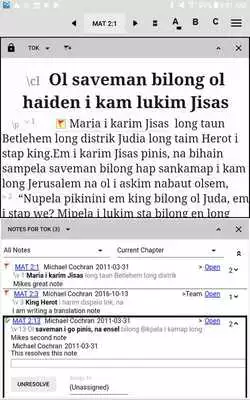
Reduced-feature version of Paratext (www.paratext.org) designed for tablets.NOTE: This app is intended to be used in conjunction with Paratext and requires a Paratext registration code.
WARNING: uninstalling an Android app will immediately and permanently delete its data. If you have any unsent project data, use Send/Receive before uninstalling.
Key features:
- Compatibility: Paratext Lite is compatible with all current versions of Paratext 8 (8.0.100.65 and later).
- Portable and low power: Paratext Lite allows users of Paratext 8 to read and edit their project data on an Android tablet. This is useful for comprehension checking and for simple editing comparable to what can be done in Paratext's Basic view.
- Projects and resources can be installed on the device.
- Editing is supported for existing projects only. Markers cannot be inserted, so only verses and footnotes which already exist can be edited.
- Notes can be browsed, created, assigned, replied to, and resolved.
- Send/Receive is supported via wifi internet connection. The full project data is synced, but Paratext Lite can only display the text and the notes. Some tablet models are able to Send/Receive to a USB drive or SD card; others are not. Local network Send/Receive using Chorus Hub is not supported.
- Points in project history can be created and viewed in a list, but their content cannot, and different points in history cannot be compared.
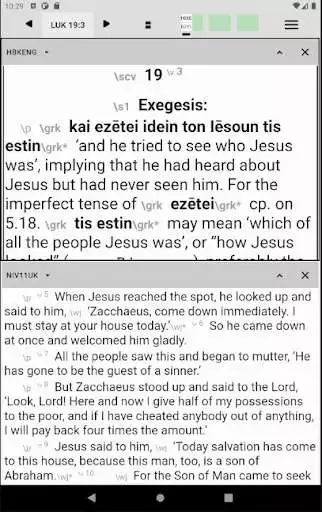
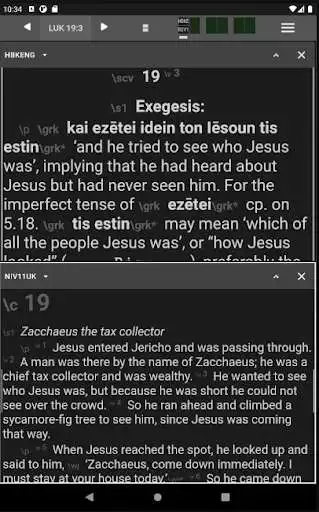
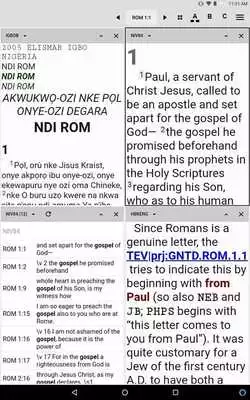
- Multiple panes: This initial version allows up to four panes of content to be open at a time. (Future versions may support up to 12 panes, and possibly text collections.) Panes can be temporarily collapsed to make better use of limited screen space.
- Display mode can be toggled between showing up to four panes at once or up to two panes at once (swipe left or right to switch columns).
- Sync scrolling: By default, all text panes shown on screen scroll together when you tap in a verse.
- Searching: "Find" is supported; "Replace" is not.
- Keyboard/mouse: Many users will be much more productive with an external keyboard and possibly a mouse. Bluetooth is one option. Another is a USB OTG cable, a USB hub, and USB keyboard and mouse.
- Limitations: Nearly all other features are only available when running full Paratext on a Windows or Linux computer. This includes checking, progress tracking, research tools, compare versions, and many other important features. Paratext Lite is intended as a companion app to Paratext, not as a replacement.
Android devices vary in how well they support certain features, especially accessing external storage (SD or USB).
Updates:
Fixed bug causing exiting footnote panes to reset zoom level - trello #512Fixed issue with certain buttons and panes covering content - trello #513
Now uses Joined name instead of Name. (In preparation for when we support Joined projects)
Attempt to prevent a message box from being displayed when the app is closing
Footnotes now easier to tap on - trello #514
Fixed bug causing keyboard to open in non-editable resources - trello #519
Attempted fixes to the following exceptions:
PTLE-59
PTLE-58
Paratext Lite from UptoPlay.net
Page navigation: