


Paint Joy - Color & Draw
Paint Joy
The official app & game
Distributed by UptoPlay
SCREENSHOTS
DESCRIPTION
Use UptoPlay to play online the game Paint Joy - Color & Draw.
A wonderful drawing program for all ages to free your imagination and inner artist. Simple, neat while full of possibility.
With Paint Joy, you have full control of brush style, color, brush size, background color etc.
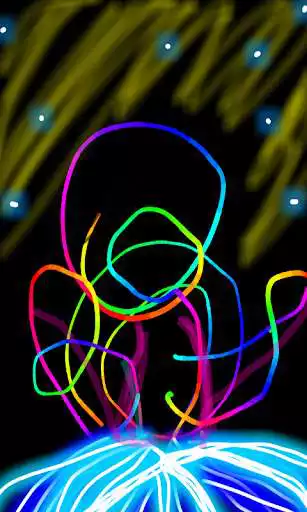
Paint Joy has more than 20 beautiful brushes, such as glow neon, glow, crayon, chalk, sketch etc. You can draw on a color canvas, or decorate any of your photos to make them more beautiful.
The app supports built-in gallery which saves not only your drawing pictures, but also the drawing animation. You can play back your masterpieces like a small film anytime you want with the "Movie" feature in app.
APP FEATURES:
- more than 20 brushes
- doodle on canvas or photo
- intuitive brush picker and color picker
- pinch to zoom in and zoom out
- gallery saves both drawing pictures and drawing animation
- "movie" mode to replay drawing like a small film
- share drawing to facebook, tumblr, e-mail, twitter, etc.
-----------------
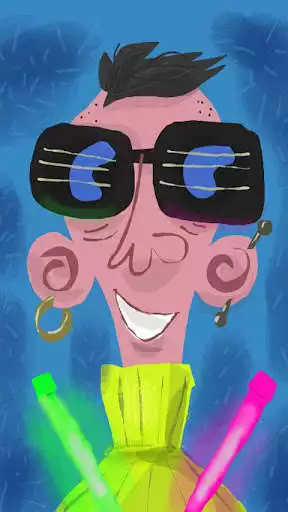
The video clip is made by Daily Finger with Paint Joy.
The Daily Finger is a side project by character designer / artist Weirdink , exploring character design and illustration created on the go. The tools are a smartphone, "Doodle Joy" and his trusty old finger!
Visit the Finger here: http://www.thedailyfinger.com and here: https://www.facebook.com/TheDailyFinger?ref=ts&fref=ts.
-------------------
Enjoy with UptoPlay the online game Paint Joy - Color & Draw.
ADDITIONAL INFORMATION
Developer: Doodle Joy Studio
Genre: Casual
App version: 1.4.3
App size: 6.2M
Recent changes: 1. Fix several stability issue, including the crash on color picker and brush picker.
Comments:
I LOVE THIS APP! It is super easy to use, because you don't have to work in layers, or deal with complicated instruction if you are not used to doing computer drawing. Some of the designs I have made I've printed into photos to make cards. Straight forward, and has enough brush options to make productive pieces of art!
Hands down my favorite go to app only problem is you cant remove the bottom tools and cant share but no matter when the app left the playstore ie paint Joy pro l couldnt function please never get rid of this app ever again
My grandbaby loves the rainbow paintbrush! It's a great way to keep him entertained and quiet in a restaurant.
I rated this two because, this was one my favorite drawing app for years but now there is a glitch that will delete your drawing and send you back to the menu when you draw with the "spray" option, it seems like the app is registering multiple touch points, I say this because I am seeing multiple solid lines of the same color of brush (which is very annoying because it is making my pictures look a bit sloppy) and because it only seems to do it near the bottom of the screen. Hope this was helpful
This is great. I used this year's ago and found it again. I can create scenes to post to Facebook for my art classes. It's great."
Page navigation: