


iSNAKESCOPE
iSNAKESCOPE
The official app & game
Distributed by UptoPlay
SCREENSHOTS

DESCRIPTION
Use UptoPlay to play online the game iSNAKESCOPE.
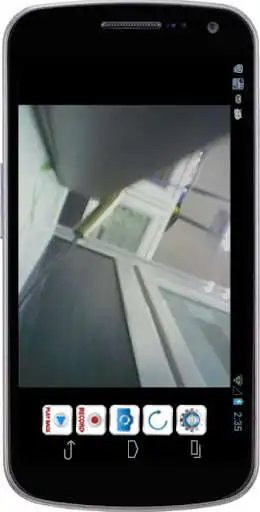
iSNAKESCOPE is an Android viewer and controller that enables you to remotely monitor live video and taking pictures from a Boresope Camera.
Teamforce iSNAKESCOPE is not only a Wireless Camera, but a Borescope Camera with built-in WiFi Hotspot. This great feature enables iSNAKESCOPE to connect to Borescope Camera only having to select WiFi Hotspot from your WiFi Setting Panel. No additional IP or Port setting is needed.
iSNAKESCOPE Features:
iSNAKESCOPE features WiFi network, no cellular network.
iSNAKESCOPE features excellent high performance and good quality, that plays live HD/VGA resolution stream at up to 30 FPS to bring better user experiences.
Teamforce iSNAKESCOPE Camera features flexible gooseneck that enables you to see where your eye can not reach.
Enjoy with UptoPlay the online game iSNAKESCOPE.
ADDITIONAL INFORMATION
Developer: Teamforce Tools
Genre: Tools
App version: 5.0.2
App size: 12M
Recent changes: 1.Improved Android 5.0 version of the problem.
Comments:
I bought the hardware and within a year or two for software updates would not support the old hardware. The whole thing is useless now.
easiest way to get it working on an android is to just pull your sim card. disable auto reconnect to other wifi networks. good luck figuring out which way is up.
Sucks dont work
Works on LG G4 but not all the time, since it takes time for the wifi to show up plus don't forget the password. Also the playback of videos stop working and now I can't find how to extract the videos which the app is refusing to play
When I finally got it working, it worked as advertised. The problem was getting the wifi connection working. I turned on the dcis4 and my android 7 phone found the iSNAKESCOPE wifi connection and connected. It said "Connected - no internet" I then ran the iSNAKESCOPE app and I got the message "Can not search devices!" After playing around with settings on my phone and searching the internet for answers for a couple of hours I noticed that I was connecting to the internet thru my data plan. I turned off the Data Connection switched to the iSNAKESCOPE app and the picture immediately appeared. I think android is allowing data thru my service provider data connection (4G, 3G) and not allowing the dcis4 to send data over wifi. After I got the iSNAKESCOPE app working I turned my data connection on and the app continued to work. -2 stars for the 2 hour headache.'
Page navigation: