


Blur Photo Editor And Blur Photo Background

Blur Photo Editor And Blur Photo Background
The official app & game
Distributed by UptoPlay
SCREENSHOTS
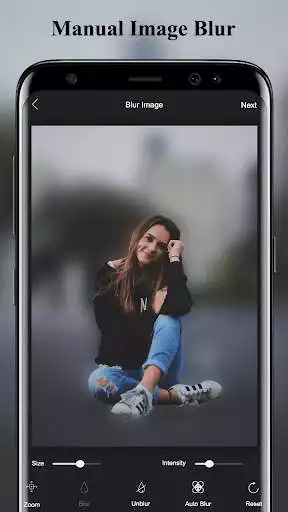
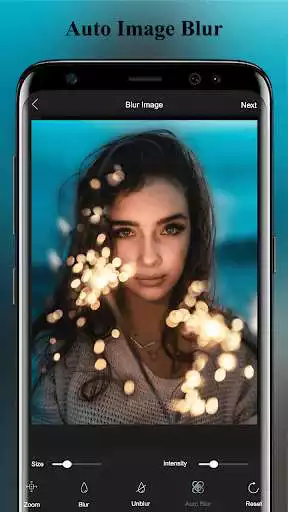
DESCRIPTION
Use UptoPlay to play online the game Blur Photo Editor And Blur Photo Background.
Blur photo editor and Blur photo Background is a photo blur application. Blur photo editor is use to blur the background of the photo. Blur photo Background Gives your picture Eye-catching and Fashionable view. Blur Photo Editor Usage is very simple just moving your finger and Blur your Photo.
Blur image background is very useful Blur Photo Editor that gives your photo a stylish Blurry Effect. Blur your unwanted part of your picture and give it stylish blur effect using Blur Photo filters and blur shapes in blur photo editor. There is an option to select the brush size user can adjust according to need.
The blur Background photo editor and blur photo background is best application to give your photo blur effect and get blur selfies with blur camera or blur Dslr effect. Blur photo background Allows you take picture and you can also use gallery to open the save pictures.
so if you want Give your blur photo Effect? and make your picture background blur than Blur photo editor and blur background photo is best option for you.
How to use Blur photo editor and blur Photo Background
To blur image background is very simple using blur photo editor just take a picture from a camera. you can also select the photo from the gallery and blur image background or unwanted portion or your photo.
you can adjust the size of the brush as per your need. There are also different build in shapes you can select the shapes to give extra charm to your blur photo background. zoom in and zoom out your photo as per adjustment
Just like Dslr Blur Camera Effect you can Blur your picture background and give your photo blurr effect just like a bokeh Effect of Dslr Blur Camera.so now takes Selfie from your mobile and give your photo a stylish blur background.
Edit photos using different blur photo editing features and shapes using this blur effect photo editing app or image blur camera app. Blur images or blur pictures and share them with your loved ones, using this blur my photo app or blurry background camera app. Blur your photo or blur the image and save it on your phone, using this blur camera or blurry selfie camera app.
Features of Blur photo Editor and blur Photo Background
Take picture from camera or Gallery
Blur background of a picture with blur photo editor and blur photo Background
blur photo editor easy to use and Nice GUI
select different shapes from Blur Photo Editor
resize the brush and zoom in and zoom out adjustment
Save and share your picture on social Media
So Enjoy using Blur photo Editor and blur Photo Background to give the Eye-Catching Blur Effect to your photo we highly appreciate any suggestion and queries kindly contact us on Email Mention [email protected]
Enjoy with UptoPlay the online game Blur Photo Editor And Blur Photo Background.
ADDITIONAL INFORMATION
Developer: Markhor Studio
Genre: Photography
App version: 11.16.45
App size: 25M
Recent changes: Optimize perfomance
Minor Bug Fix
Comments:
Doesn't work. Downloaded this app and uninstalled it almost immediately. I gave it access to my photos but couldn't find my photos. There are too many apps out there so you have to make it as easy and as accessible as possible this app does not do that.
Im giving 2 stars because the *shape blur* works. However when I choose the *blur* only option a how-to page comes up and will not go away. Therefore I cant use the blur option. Will uninstall!
I like the blur affect but its taking way too long to save. I saw that it got a 4.9 rating.
I am really enjoying this app so far. I was surprised that Shopify didn`t have a built in function for something like this, but glad your app fits the bill. It Easy to navigate for a non-tech person like me. Tried so many apps, and this is the best combination of great features for any shop.
What a wonderfull blur photo app. I really like it very much and recommended others to use that app. Quality of pic remain unchanged as after blurring. I really appreciated the developer of that app for such a great work. Thanks'
Page navigation: