


St Augustine History Project

St Augustine History Project
The official app & game
Distributed by UptoPlay
SCREENSHOTS
DESCRIPTION
Play this online game named St Augustine History Project.
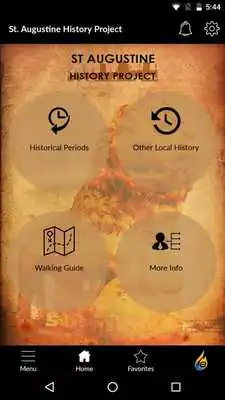
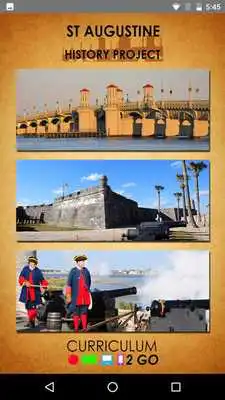
The St. Augustine History Project mobile app is both a teaching tool and a visitor guide developed by a local social studies teacher with a love of history. It provides teachers, students, and visitors with a look at the rich history of St. Augustine, Florida. The app is an interactive resource in which students can learn the history and share what they have learned about St. Augustine prior to, during, and following a visit. Students can use the images found in the app as resources to create virtual field trips or tell digital stories about St. Augustine’s history. The resources in the app support Florida teaching standards, and will provide a safe virtual environment for students to explore St. Augustine. In addition, the app has a unique interactive feature that will allow students to submit work to share with the world.If you are visiting the city you will find a walking guide with map support guiding you through 450 years of rich St. Augustine history. The app also shares restaurant suggestions for visitors and visiting school groups as recommended by the locals.
Historical timeline focused
Interact by uploading digital stories relating St. Augustine history
Create and share virtual field trips
Calendar of Events– Local events related to the history of St. Augustine
Directions – Find points of interest and a mapped walking directions
Directory – Find restaurants during your visit
Capture and share images as you tour the city – take photos and quickly share them with the St. Augustine History Project Logo
Updates:
We're always working hard to improve the experience of the app through new features and enhancements. Here are some of the changes included in this version:1.New home page layout
2. Introduction of bottom navigation bar for easy access of Home Screen, Left Menu, Favorites
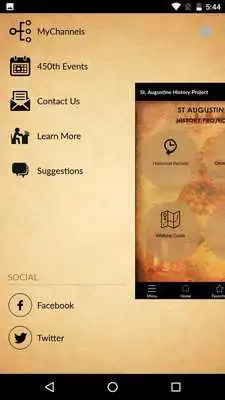
3. Refreshed left menu - social media icon has now new place in left menu
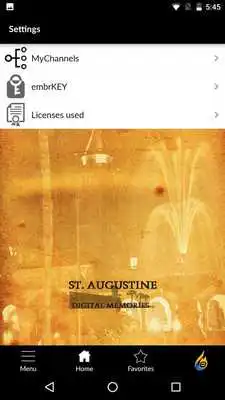
4. Easily access MyChannels from two locations on the app - left menu and settings
5. Thumb swipe left to right feature to access left menu.
St Augustine History Project from UptoPlay.net
Page navigation: