


Quick Renamer - rename multiple files

Quick Renamer
The official app & game
Distributed by UptoPlay
SCREENSHOTS
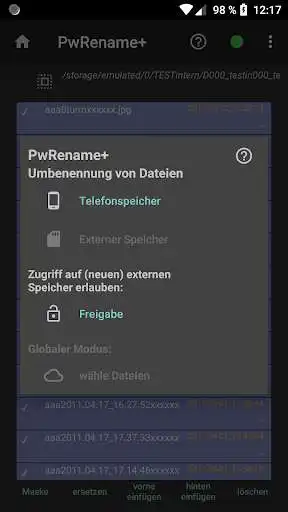
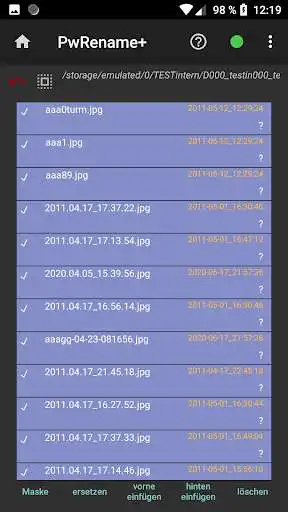
DESCRIPTION
Use UptoPlay to play online the game Quick Renamer - rename multiple files.
PowerRenamer
Keywords: multiple renaming of files according to selectable rules (globbing and regular expressions).
Introduction
PowerRenamer allows you to rename all (or some) files in a folder according to certain rules. 4 basic functions are offered:
Insert character in front, insert character in back, delete character, search/replace character
The basic principle of the 4th point is the specification of two patterns: a "search pattern" and a "replacement pattern". This allows (via the optional use of globbing or regular expressions) practically any renaming.
PowerRenamer is based on the app MURx, but can additionally combine several actions into "Jobs", which can be executed with one click. This simplifies the execution of recurring tasks.
PowerRenamer basiert auf der App MURx, kann aber zustzlich mehrere Aktionen zu "Stapeln" zusammenfassen, wobei diese mit einem Klick ausgefhrt werden. Das vereinfacht die Ausfhrung von wiederkehrenden Aufgaben.
Enjoy with UptoPlay the online game Quick Renamer - rename multiple files.
ADDITIONAL INFORMATION
Developer: Lars-Ole Dorrens
Genre: Tools
App version: 1.3.2-free-release
App size: 3.0M
Recent changes: Free Version (full version see Quick Renamer+)
Comments:
Very typical of an app built by a programmer alone. Runs well, but many UI features are unintuitive and obscure and probably only make sense to the programmer himself. For example, you click delete to delete a string, and the window that pops up obscures the filenames and you cannot move it around. The icon used for backspace, a sort of curved left pointing arrow is more commonly used to signify back, as in navigation, not backspace. Many issues like this everywhere. Font is also much too small
`It works, but does not look very great, is missing English translation in places and isn't very easy to use. For starters, every file is selected by default (annoying, also made me question if the check on the left even is selection) and i was very confused that file endings were not included in the regex matching. "insert left "insert right" and "replace" don't really make it clear that i will rename files by clicking on them neither through text and don't look very button-like either.`,Brilliant! Easy to use and extremely useful.
Literally garbage doesn't rename didn't renamed app not easy nav this is a waist don't download
Thanks meri jaan'
Page navigation: