


Hypnosis KraKra

Hypnosis KraKra
The official app & game
Distributed by UptoPlay
SCREENSHOTS
DESCRIPTION
Use UptoPlay to play online the game Hypnosis KraKra.
=========================
Hypnosis KraKra
=========================
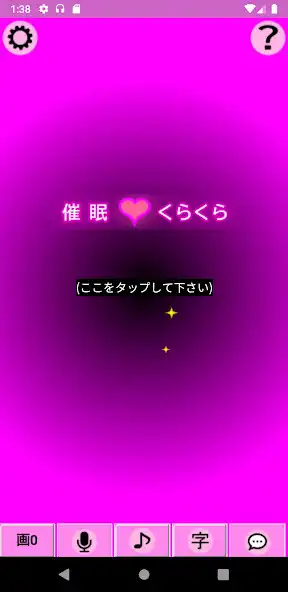
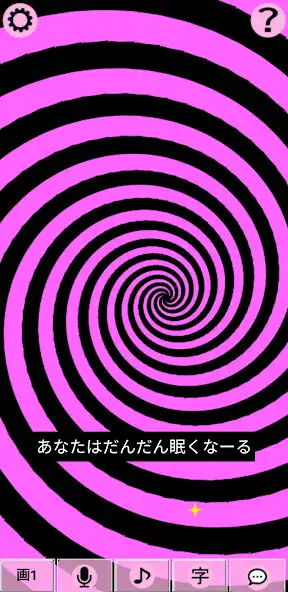
This software is an application to enjoy hypnotic moving pictures.
It generates hypnosis video in real time without using any video files.
How you use it is up to you.
* Source: https://github.com/katahiromz/KraKra_ja_jp
* Some OtoLogic audio material is used.
* You can modify this software under the Apache 2.0 License.
[(Precautions for use)]
- This software is a joke application and its operation is not guaranteed.
- Do not use this software if you have epilepsy symptoms.
- If your country, school, religion or region prohibits hypnosis, do not use this application.
- Acute schizophrenic patients should not use this software.
- Avoid driving a car immediately after using this software.
- People with trypophobia should not use this software.
- If you experience symptoms such as headache, dizzy, hyperpnea, nausea, gastrointestinal problems, or abnormal emotions, discontinue use immediately and consult a specialist.
- The Operator may terminate the Service at any time if any reason arises that makes it difficult to continue the Service.
[(How to use)]
- Basically, it is an application to enjoy looking at the screen.
- Tap/click on the screen to switch pictures.
- The 'pic' button allows you to set the video settings.
- Tap the 'microphone' button to use the microphone (it needs permission).
- Tapping the '' button makes a sound.
- The 'Aa' button allows you to set the message to be displayed.
- The 'bubble' button will speak the message.
- The 'gear' button will open Configuration.
- When you run your finger on the screen, the screen sparks to attract their attention.
[(Keyboard Operation)]
When a keyboard is connected, the following operations are available:
- Press [0] to [9] keys to switch pictures.
- Press [C] key to open the configuration.
- Press [H] key to open the version information.
- Press [A] key to open appearance settings.
- Press [P] key to play sound.
- Press [M] key to turn on/off the microphone (it needs permission).
- Press [T] key to open the message settings.
- Press [S] key to speak the current message automatically.
- Press [X] key to pause.
- Press [-] or [K] keys to kill hypnosis.
- Press [D] key to split the screen.
- Press [B] key to toggle display of the buttons.
- Press [G] key to turn on/off of Goggle Mode.
[(Goggle Mode)]
Goggle Mode is available with a connectable keyboard and goggles.
Goggle Mode can be toggled on and off by pressing [G] key.
Goggle Mode splits the screen in two and hides the control buttons.
Copyright (c) 2022-2023 Katayama Hirofumi MZ
Copyright (c) 2018 Robert Eisele
Copyright (c) 2007-2022 Akshay Nair
Copyright 2022 OpenJS Foundation and jQuery contributors.
Enjoy with UptoPlay the online game Hypnosis KraKra.
ADDITIONAL INFORMATION
Developer: katahiromz
Recent changes: - Changed target SDK version to 33.
Page navigation: