


Flip and Shake Screen Off / On
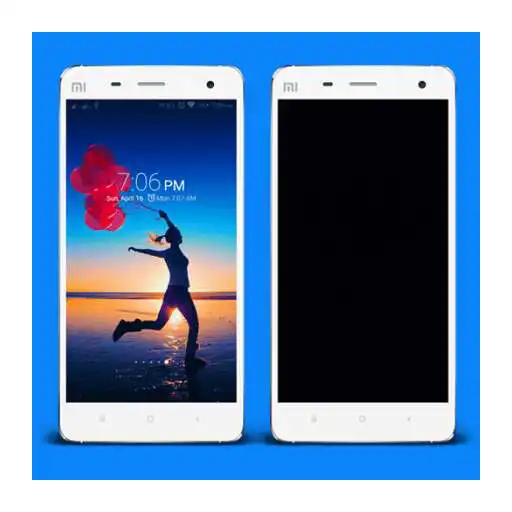
Flip and Shake Screen Off / On
The official app & game
Distributed by UptoPlay
SCREENSHOTS
DESCRIPTION
Play this online game named Flip and Shake Screen Off / On .
Flip and Shake Screen Off / On is mobtower,flip,shake,productivity, content rating is Everyone (PEGI-3). This app is rated 5 by 1 users who are using this app. To know more about the company/developer, visit Mobile Tower website who developed it. com.mobtower.flip.shake.apk apps can be downloaded and installed on Android 4.0.x and higher Android devices. The Latest Version of 1.0.6 Available for download. Download the app using your favorite browser and click Install to install the application. Please note that we provide both basic and pure APK files and faster play online speeds than APK Mirror. This app APK has been downloaded 89+ times on store. You can also play online com.mobtower.flip.shake APK and run it with the popular Android Emulators.
Replace your power button to turn your device screen off / on with a simple Flip or Shake!

This app is very useful if your power button is broken, or you want to prevent power button from any damage. or you just want simplicity because you don't have to press the power button again!

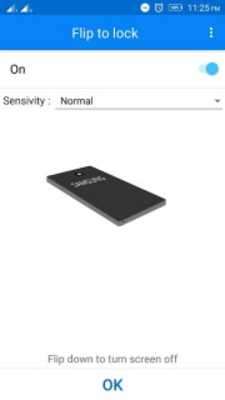
Flip down the device to turn your screen off.

Shake the device to turn your screen off.

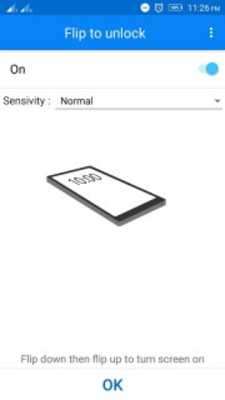
Flip down then flip up the device to turn your screen on.

Shake the device to turn your screen on.

Set the sensivity lower if you want to prevent screen off / on accidentally, or set the sensivity higher if you find it hard to turn screen off / on.

Learn how to use Flip and Shake Screen Off / On easily with animation and instruction inside the application!

Set notification access for Flip and Shake Screen Off / On to get quick access to the application!

Automatically start service after device restart so you don't have to activate it everytime! (Can be enabled in Pro Version)

if you have any suggestion or question, please send an email to [email protected], we will do our best to help you!

*This app uses the

 only to lock your screen. If you want to remove it, simply click "Remove device administrator" option within the app.
Updates:
- v1.0.6
- - Minor bug fixed
- v1.0.4
- - Some devices could not upgrade to Pro Version have been fixed
- v1.0.3
- - Some difficulties to unlock the screen have been fixed
- - Minor improvements
Flip and Shake Screen Off / On from UptoPlay.net
Page navigation: