


Emoji Cuckoo Clock
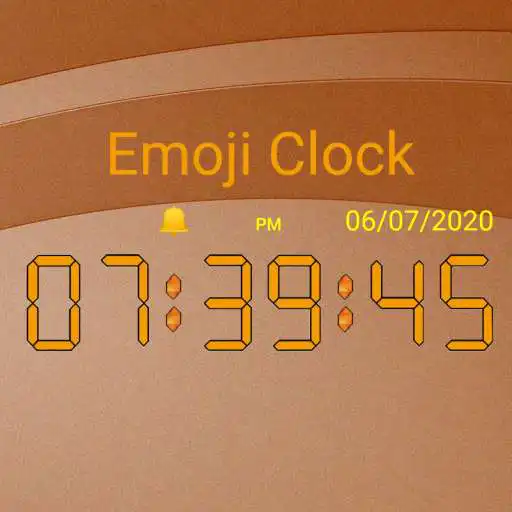
Emoji Cuckoo Clock
The official app & game
Distributed by UptoPlay
SCREENSHOTS
DESCRIPTION
Use UptoPlay to play online the game Emoji Cuckoo Clock.
Emoji Cuckoo Clock (Widget)
\tThe fun clock for Android!
\tRuns permanently as a widget
\tDisplays seconds
\tTransparent background
\tGive your smartphone a special individual look
\tMake your smartphone fun and original
\tBring life to your phone!
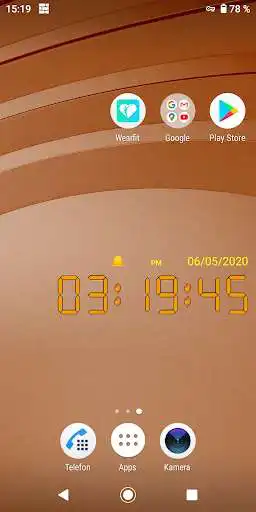
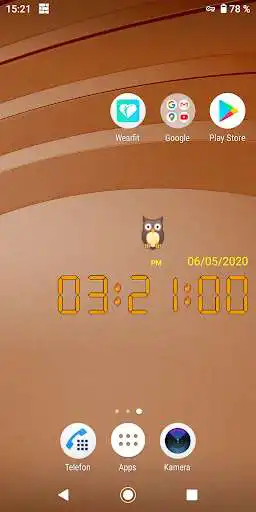
\tThe pictures show the Pro version with individual configuration options. The free
\tversion is fully functional, the configuration is limited to the format of the date.
\tFree download!
Features:
\tChoose your favorite Emoji, which is displayed every minute and hour
\tOr let a random emoji surprise you
\tHourly Cuckoo animation
\tCuckoo animation every minute
\tShows the time with seconds
\tTransparent background
\tChoose your own color scheme and digit style
\tSelect your own date format:\t12h /24h clock
\tSilent
\tSelect your favorite emoji
\tNo advertisments
\tNo WiFi or data connection necessary
\tPerfect for children
\tBattery friendly
-->\tDisplay area and size on home screen can be changed by clicking.
-->\tTap on DATE to open the menu.
-->\tThe App doesn't collect, use, store and share or disclose any information about the
\tuser or any other person.
--> \tYou need a KEY to unlock the Pro version!\tLink to the Pro version:
\thttps://play.google.com/store/apps/details?id=de.gfe.lipsia.key
Add Widgets to Desktop:
1. This clock is not an app but a widget and runs permanently.
2. Download it?
3. Find the widget by holding your finger on the home screen or app overview.
4. Drag the widget to the home screen
Note: \t
If the widget does not start, follow these steps:
1. Remove widget from home screen.
2. Then add widget to the home screen again.
3. If widget still does not start, restart your smartphone.
4. When the clock stops, press the DATE button, than the RESTART button.
5. Do NOT move the widget to the SD card! Widgets often do not work when stored on the SD card.
6. Remove the widget from Task Killers to prevent the clock from stopping.
Thank you for using the Emoji Cuckoo Clock!
Enjoy with UptoPlay the online game Emoji Cuckoo Clock.
ADDITIONAL INFORMATION
Developer: Robinson Sen.
Genre: Lifestyle
App version: 1.3
App size: 2.4M
Recent changes: Release: Built 1.3
Page navigation: