


Ace Scanner (OCR) & Translator
Ace Scanner (OCR) & Translator
The official app & game
Distributed by UptoPlay
SCREENSHOTS
DESCRIPTION
Use UptoPlay to play online the game Ace Scanner (OCR) & Translator.
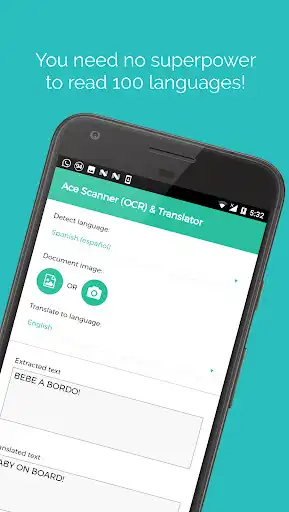
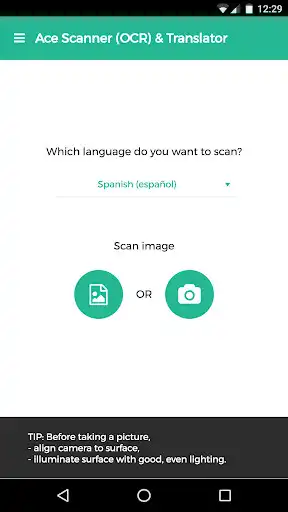
Take a photo of printed text, and this app extracts the text and translates it for you.
More than 100 languages supported.
*Free trail of 6 images and/or 12 translations.*
[Uses]
1. Travel: Translate sign boards, menus while traveling.
2. Work: Convert office/government documents to text and then share over email, or translate it to a language you understand.
3. Study: Convert documents to shareable text.
4. Learn: Image to text translation helps in learning languages.
Usage of deep learning OCR technology, makes this app more accurate than competitors - try it yourself ;)
Note: App needs internet connection. Handwriting recognition isn't supported.
Standard Google Play refund policies apply (that is, currently, refunds are accepted within 48 hours of purchase*).
* could be changed by Google in the future
Enjoy with UptoPlay the online game Ace Scanner (OCR) & Translator.
ADDITIONAL INFORMATION
Developer: Impress Medium
Genre: Travel & Local
App version: 2.13.0
App size: 8.5M
Recent changes: Fixed a file selection issue on older web views/phones (like Samsung Galaxy J2).
Comments:
I tried to translate Russian text from a clear photo off a phone screen, but it just returned a string of Latin characters, apparently not recognizing Cyrillic - even when the app itself has the language set to Russian.
Best OCR app I've ever used. It literally gets every single word even in Greek. But if we have to pay for keep using it at least give us the choice to purchase a lifetime subscription, so we won't have to pay every month/year.
it didn't get one translation correct. I can send you a picture if you like. it's either Chinese or Japanese. thanks Chinese to English and I also tried Japanese to English
Good, but it is preferred to have the OCR done locally not by uploading them downloading. Why not offline? Also, find a way to solve right to left document issue.
It's so expensive whereas the quality is not as great as the price. If it was a free application I would put 4 stars but it isn't so 1 star is overnoted"
Page navigation: