


Space Interface KLWP Pro
Space Interface KLWP Pro
The official app & game
Distributed by UptoPlay
SCREENSHOTS
DESCRIPTION
Use UptoPlay to play online the game Space Interface KLWP Pro.
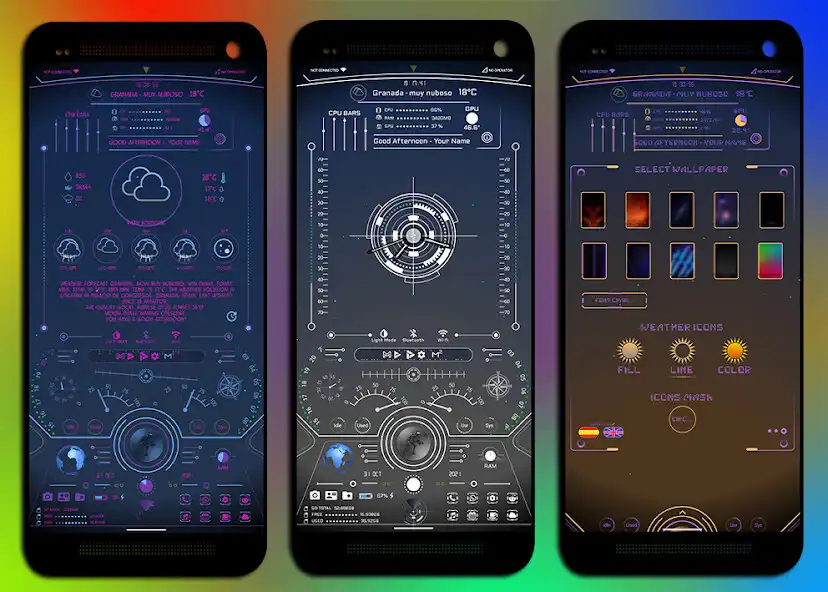
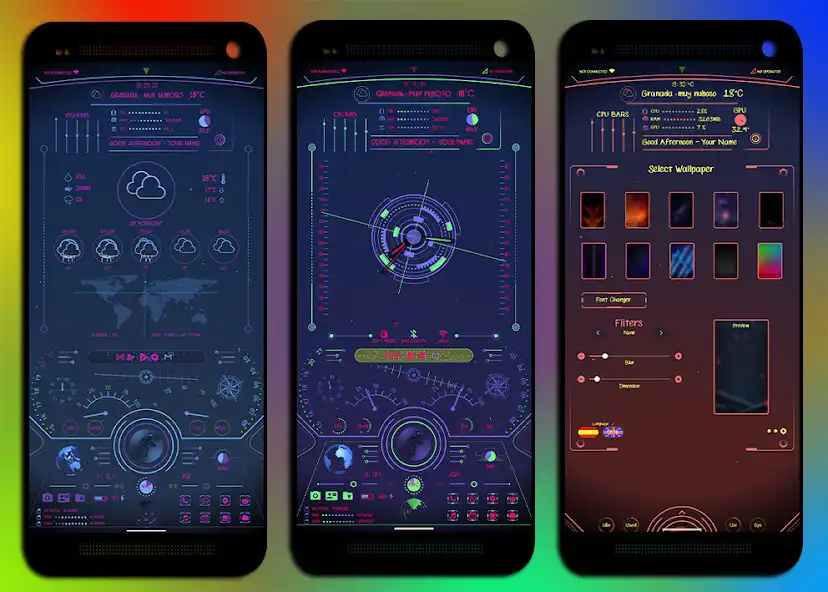
Space Interface - Ultra customizable theme for KLWP PRO
Preset in English and Spanish.
Screen: Aspect ratio 18/9 and 195/9.
This apk does not work by itself, you need to have Klwp Pro installed to be able to use it
https://play.google.com/store/apps/details?id=org.kustom.wallpaper
https://play.google.com/store/apps/details?id=org.kustom.wallpaper.pro
and Nova Launcher Prime
Please follow these steps:
1st - Install the theme on the phone, open the app and set it as wallpaper in KLWP PRO.
2nd - Set 1 pages for both the Launcher (Nova Launcher recommended) and the KLWP PRO editor.
3rd - Configure Nova Launcher:
Nova Settings -> Dock -> disabled
Nova Settings -> Home Screen -> Page Indicator -> None
Nova Settings -> Start Screen -> Search Bar -> None
Nova Settings -> Home Screen -> Widget Overlay -> On
Nova Settings -> Home Screen -> Overlay on Drop -> Check
Nova Settings -> Look and Feel -> Show Notification Bar -> Off
Also delete any desktop icon.
SUBJECT SPECIFICATIONS:
This is an animated theme for Klwp with 1 page and 7 sub pages: Weather, Calendar / Events, Theme Settings, Mp3, Rss / Feed, Information and Apps.
Random and default color theme, font changer up to 10 types, mp3 visualizer, 5 day and hourly weather, calendar events and many more functions.
NOTES:
To change username and image go to global klwp and search for "name" text and "user" image and change to yours.
- If you want to change the wallpapers go to global in klwp from wall1 to wall10 and change the image to the one you like.
- If you want to change the fonts go to the klwp editor, from font to font10 and change to one of your liking, take into account the size of the chosen font, since some are larger or smaller and can be left out of place or not read correctly, this can be fixed from the Theme Settings - Theme - Fonts 1 and Fonts 2 category by increasing or decreasing the font size of the theme.
- If you want to change the links of the Rss / News category go to global klwp, RSS list, check the RSS box and click on the 3 points that appear in the upper right corner of klwp and select edit, just edit the link before the "##" and save the change.
CREDITS:
All the theme widgets, animations, code used, and other components are made following the Brandon Craft (CraftMath) tutorials on Youtube and with the code and examples included in the KLWP PRO application.
Channel: https://www.youtube.com/channel/UC3adc3KUUT88oEk11Fg5FFA
Weather icons are layered in klwp pro.
The translation of the theme is done using Google translate.
** A special thanks to the creator of the app used.
Frank Monza: creator of the KLWP application.
Many thanks to Brandon Craft (CraftMath) for his Youtube tutorials.
This app is created with the Android Studio Kuper example:
Many thanks to the creators of Kuper for making it possible to publish KLWP.
https://github.com/jahirfiquitiva/
If you have any problems using the theme, please email me at:
Email: [email protected]
Thanks!
Enjoy with UptoPlay the online game Space Interface KLWP Pro.
ADDITIONAL INFORMATION
Developer: deadzone
Recent changes: Kuper app updated to 2.4.0
Updated SDK at level 32
Android support 13
Page navigation: