


RM Bridge
RM Bridge
The official app & game
Distributed by UptoPlay
SCREENSHOTS
DESCRIPTION
Use UptoPlay to play online the game RM Bridge.
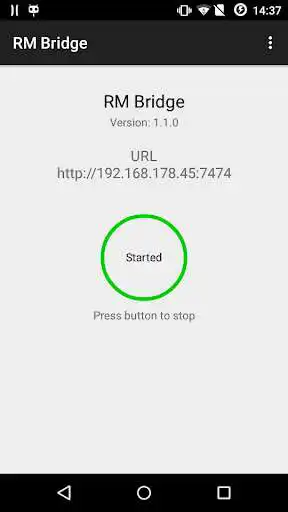
RM Bridge provides a HTTP REST web API to control BroadLink RM1/RM2 units from remote.
Management Console
A management console that implements the RM Bridge API and can be used to learn IR/RF codes can be found at the following URL:
http://rm-bridge.fun2code.de/
Usage
After starting the web service, the RM Bridge API or BroadLink's RM Open API can be called by using a POST / GET or RAW POST request containing a JSON command. For GET/POST requests the cmd parameter contains the JSON Open API command.
To use JSONP, use a GET request together with the parameter callback or jsonp.
API Documentation
RM Bridge provides its own API which can be used without restrictions. The API documentation can be found at the following URL:
http://rm-bridge.fun2code.de/
The Open API is subject to BrandLinks NDA. In order to get a copy of the API documentation, please contact BroadLink directly.
RM mini 3
The RM mini 3 is not officially supported, but there is a workaround to get it working with RM Bridge.
For more information see: http://goo.gl/NLKxnW
Applications/Projects that use RM Bridge
RM COMMANDER BUILDER TOOLS Project: http://leffab.wix.com/domo-assist
Keyboard Shortcuts
CTRL+S to open settings
Features
- HTTP API
- Autostart on boot
- Selectable port
- Basic HTTP authentication
Enjoy with UptoPlay the online game RM Bridge.
ADDITIONAL INFORMATION
Developer: Fun2Code
Genre: Tools
App version: 1.3.2
App size: 2.3M
Recent changes: - Keyboard support: CTRL+S to open settings
Comments:
Works nice and all (those RM3 devices really needed a more friendly way of communicating than sending raw udp packets). But I'm still confused as to why this needs to be an android app. If anyone would need a server to bridge between a device connected to their home wifi and incoming http requests, serving it from a device that's in and out of home every day seems like the least practical idea. Maybe keep this app to keep your project browable from the app store and let people try and see your tech is legit, but provide a more conventionnal way to deploy it from a compouter at home ?
A reliable and working option to integrate Broadlink RM Mini3 in an Android project. It requires Broadlink official apps to configure the RM remote and connect it to local WiFI,. Once that is done, you can easily learn and send IR codes from your app without relying on Broadlink apps.
On all my devices (I tested on android 8 and 9 devices) when I enter ip and port of RM Bridge I received only "invalid request".
Good, but it does not work with RM Pro... is there a workaround it? If you managed to get it working with this, it would be just great...
Does not see 2018 rm3 pro +. IP connects but no device in list'
Page navigation: