


Cardboard Design Lab
Cardboard Design Lab
The official app & game
Distributed by UptoPlay
SCREENSHOTS

DESCRIPTION
Use UptoPlay to play online the game Cardboard Design Lab.
Enjoy an educational and immersive journey through principles for developing virtual reality experiences. Designing great user experiences in virtual reality is considerably different than designing for traditional 2D form factors. Virtual reality introduces a new set of physiological and ergonomic considerations to inform your design work.
VR Design Principles Covered
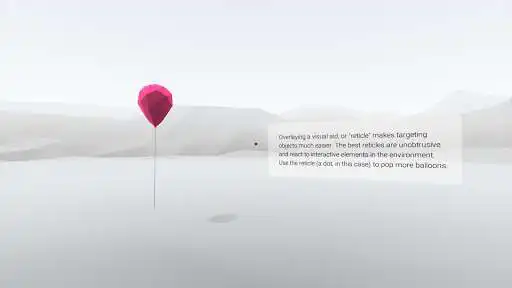
1. Using a Reticle
2. UI Depth & Eye Strain
3. Using Constant Velocity
4. Keeping the User Grounded
5. Maintaining Head Tracking
6. Guiding with Light
7. Leveraging Scale
8. Spatial Audio
9. Gaze Cues
10. Make it Beautiful
To fully enjoy this app you'll need a viewer that works with Google Cardboard. Learn more and get your own Cardboard viewer at http://g.co/cardboard. Share your experience through our Google+ community at http://g.co/cardboarddevs.
By using this app you agree to be bound by our Google Terms of Service ("Google ToS", http://www.google.com/accounts/TOS), Google's general Privacy Policy (http://www.google.com/intl/en/policies/privacy/), and the additional terms below. This app is a "Service" as defined in the Google ToS and the terms regarding software in our Services apply to your use of this app.
PRODUCT SAFETY INFORMATION
- Take frequent breaks while using Cardboard. If you experience nausea, discomfort, eye strain, or disorientation, immediately discontinue using Cardboard.
- Cardboard is not for use by children without adult supervision.
- Do not use Cardboard while driving, walking, or otherwise by being distracted from real world situations that prevent you from obeying traffic or safety laws. Do not drive or operate heavy machinery immediately after using Cardboard if you feel impaired or disoriented.
- If you have had or could be prone to seizures, consult a doctor before using Cardboard.
Enjoy with UptoPlay the online game Cardboard Design Lab.
ADDITIONAL INFORMATION
Developer: Google LLC
Genre: Libraries & Demo
App version: 1.0
App size: 33M
Comments:
You must have Cardboard installed, but once you have that app you can access Cardboard Design from within it. I was easily able to access the menu options without a headset and i was walked through basic calibrations of the program. Im eager to dive into Foundation and Immersive modes fully, and report back on the overall quality of the platform. Looks amazing so far and easy access. As long as there are no annoying 360°vr ads in there...
Page navigation: