


Blue Light Filter - Eye care
Blue Light Filter
The official app & game
Distributed by UptoPlay
SCREENSHOTS
DESCRIPTION
Use UptoPlay to play online the game Blue Light Filter - Eye care.
At night, reading on a phone makes your eyes tired.
Falling sleep becomes more difficult after staring at the phone screen for a long time at night.
Why does this happen? because of blue light. The study found that blue light will make people more excited, Making it harder to sleep at night.
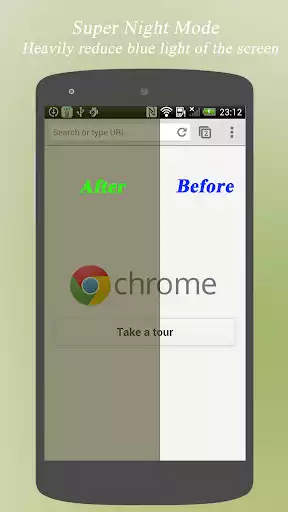
Blue light filter is used to reduce blue light by shifting the colors of your display to the warmer end of the color spectrum. this may help you get a better night's sleep.
Features
Reduce blue light
Protect your eyes from screen light
Easy to use
Fast turn on or off
Turn on or off automatically
Reduce blue light
by shifting the colors of your display to reduce blue light which make you sleep hard at night.
Protect your eyes from screen light
Enable Blue Light Filter at night will help you protect your eyes from the harm to your eyes.
Easy to use
The size of Blue Light Filter is very small, It's very easy to play online and use it. just try it if you like it. the play online speed will be very fast.
Fast turn on or off
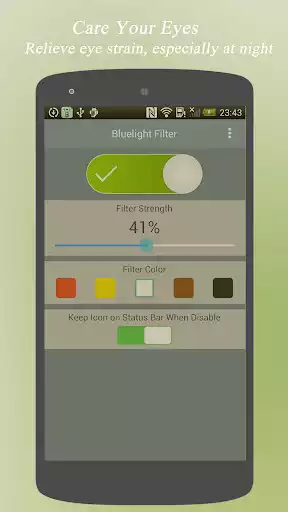
with the notification, you can turn on or off the filter fast, or adjust it with just one click.
Turn on or off automatically
With a alarm, Blue Light Filter app can turn on at night and turn off at morning or any time you like.
Enjoy with UptoPlay the online game Blue Light Filter - Eye care.
ADDITIONAL INFORMATION
Developer: Robust Programmer Inc
Genre: Health & Fitness
App version: 2.1.2
App size: 1.1M
Recent changes: 1. Color Temperature support
2. Intensity Support
3. Screen Dim Support.
Comments:
This filter does not cover the entire screen.for some reason it turns the tool strip at the bottom of screen into a bright blue strip. It only takes a very little blue light to suppress melatonin. It only takes one tenth of the brightness of the new moon to completely shut down melatonin production I think that the amount of blue light in that bright blue strip at the bottom of the screen Is enough.
Perfect! I get to choose the warmth of the light and the intensity (it has a dimmer). I use a really warmth tone, kind of orange, to keep reading at night and it is just perfect. Not too much light in the room, so I don't wake anybody up, and in the morning my eyes don't suffer with the sudden exposure to the light. Super easy to use, practical and I can hardly tell there is advertising there
Love the color temp this gives to the screen on my pixel 3a. I left off a star as I noticed thatbifni swipe the app from recents it stops working even though the notifications are enabled. If this could be fixed up to stay on in background that would be awesome!!
This is an okay blue light filter. Chromebook changed how they work for some reason, so I had to change from Night Light to this. I have to keep it open for it to work properly for some reason.
Good app but doesn't dim the notification bar and lockscreen which kinda defeats the whole purpose. Other apps ask for accessibility service permission to dim notification bar and lockscreen, this one doesn't. I guess the support just wasn't added."
Page navigation: