


ABRSM Music Case
ABRSM Music Case
The official app & game
Distributed by UptoPlay
SCREENSHOTS
DESCRIPTION
Use UptoPlay to play online the game ABRSM Music Case.
The official ABRSM Music Case app helps anyone learning a musical instrument make the most of their music practice time.
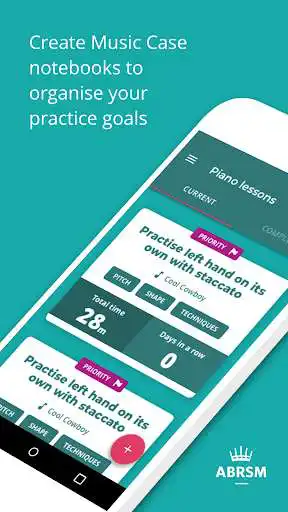
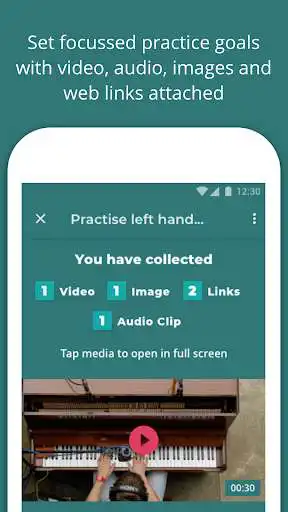
With ABRSM Music Case you can set clear, focussed practice goals and with the ability to add example videos, images or audio you can quickly understand what you need to do in your music practice sessions. Its also easy to prioritise your practice goals so when it comes to your music practice session you know exactly where to start. Weve simplified notebook and goal creation for all - get that goal created in record time with the new lightweight setup process.
As you practise your musical instrument using ABRSM Music Case, the app tracks your practice time, with our improved timers that you can start, pause and resume, recording it so that you can see how much time has been spent practising each practice goal. Understanding how much time is tracked against each practice goal will help you make sure your practice sessions are balanced.
In a practice session its easy to quickly record a segment of your music practice so that you can listen back to it. This can help you learn to identify improvements in your playing and allow you to progress more quickly.
Group your practice goals in music notebooks by musical instrument or even create multiple notebooks per musical instrument by giving your music notebooks names.
Once youve completed a practice session you can see your music practice statistics and if youve won any badges to mark your achievements. Keep practising to collect more!
If you have music lessons to learn your instrument then you can share your ABRSM Music Case notebook with your music teacher so that they can see what you are practising and the time you are logging against each goal. As a music teacher all you need to do is scan the share code of your students notebook to start seeing what they are working on and track how much time they have spent practising.
Enjoy with UptoPlay the online game ABRSM Music Case.
ADDITIONAL INFORMATION
Developer: ABRSM Publishing Ltd
Genre: Education
App version: 1.0.4
App size: 10M
Recent changes: New app icon
Comments:
`With a couple of days of use under my belt, I am pleased with this app. It's visually attractive and very easy to use. The app allows me not only to set goals, but also to set different types of goals. Currently, I have my summer goals for things I want to practice before I return to lessons in the fall. When I begin orchestra, I can set up a separate folder of goals for that program. ETA: I'm so glad they've added a pause button for the timer! Now I hope they can update it so that when I resume my practice session by working on a new goal, the timer also resumes. (It runs, but the clock stops displaying the total practice time for the session. I start with 5' of Piece A, pause and switch to Piece B. When I hit "resume the timer stays frozen at 5'. Once I finish the entire session, it updates correctly with how long I've worked on each piece, but the run timer stops cold.)`, `Hi, I can't seem to use the app. It won't let me log in or create a profile. It says "update has not been successful, something went wrong."`,Great idea in principle but App doesn't appear to work. Have tried multiple times to set up and keep receiving the same message... 'Update has not been successful. Something went wrong.' It's a shame because I think I would have found this really useful.
I can't really describe the app because although I have an abrsm login, sign in with password, enter dob, indicate that I'm a student, confirm marketing preferences, and accept terms and conditions it always fails at that point and prompts me to try again (and again ...).
I can't rate this, really, as I initially registered as a teacher. That then means you can't set up and explore anything as a student would (which I would want to do before recommending it to my students). Tried uninstalling and reinstalling, but it remembered my preferences from initial set up, so still couldn't explore the student interface. I would like to use it both as a student and a teacher, but this doesn't seem to be possible."
Page navigation: